Turn Your IT Helpdesk Into a Profit Center
ALL-IN-ONE CONTACT CENTER & REMOTE SUPPORT SUITE
Support customers via instant web chat, HD video, and OS-level remote desktop control—all in one browser workflow. Set per-minute rates and collect Stripe payments automatically with zero manual invoicing.
No credit card required. Forever Free plan available

Live Video Chat & Recording
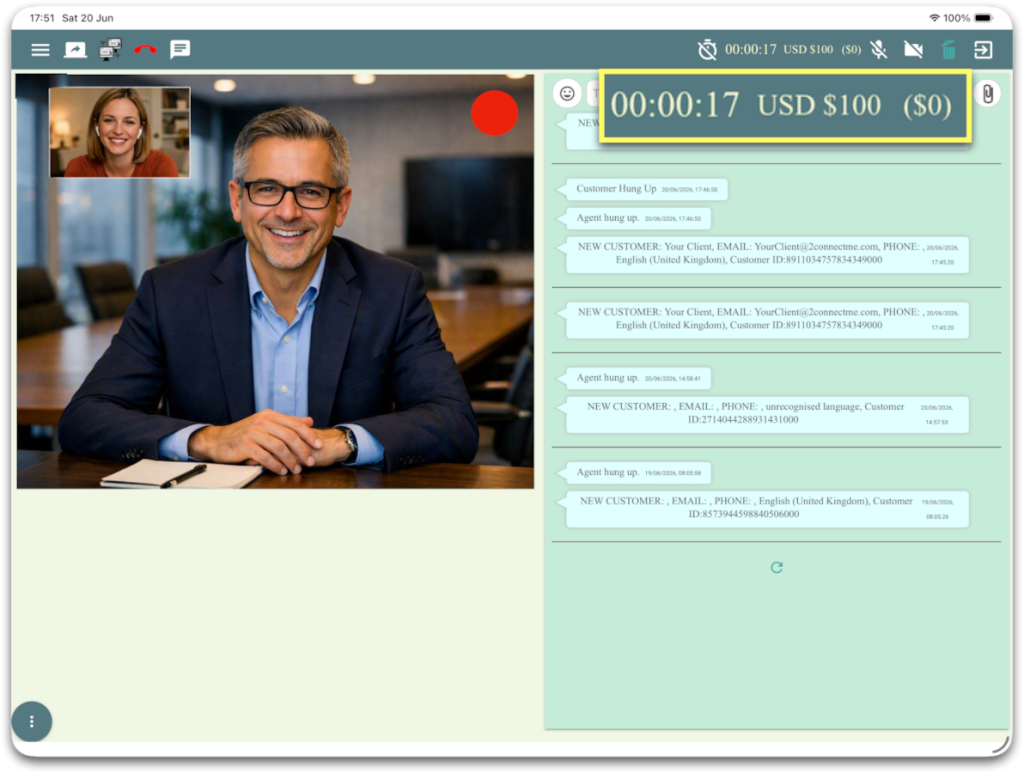
Customers start an anonymous web chat with zero downloads. When hands-on trouble-shooting is needed, escalate to voice, video, screen share, or full remote control in one click.
Remote Desktop Control
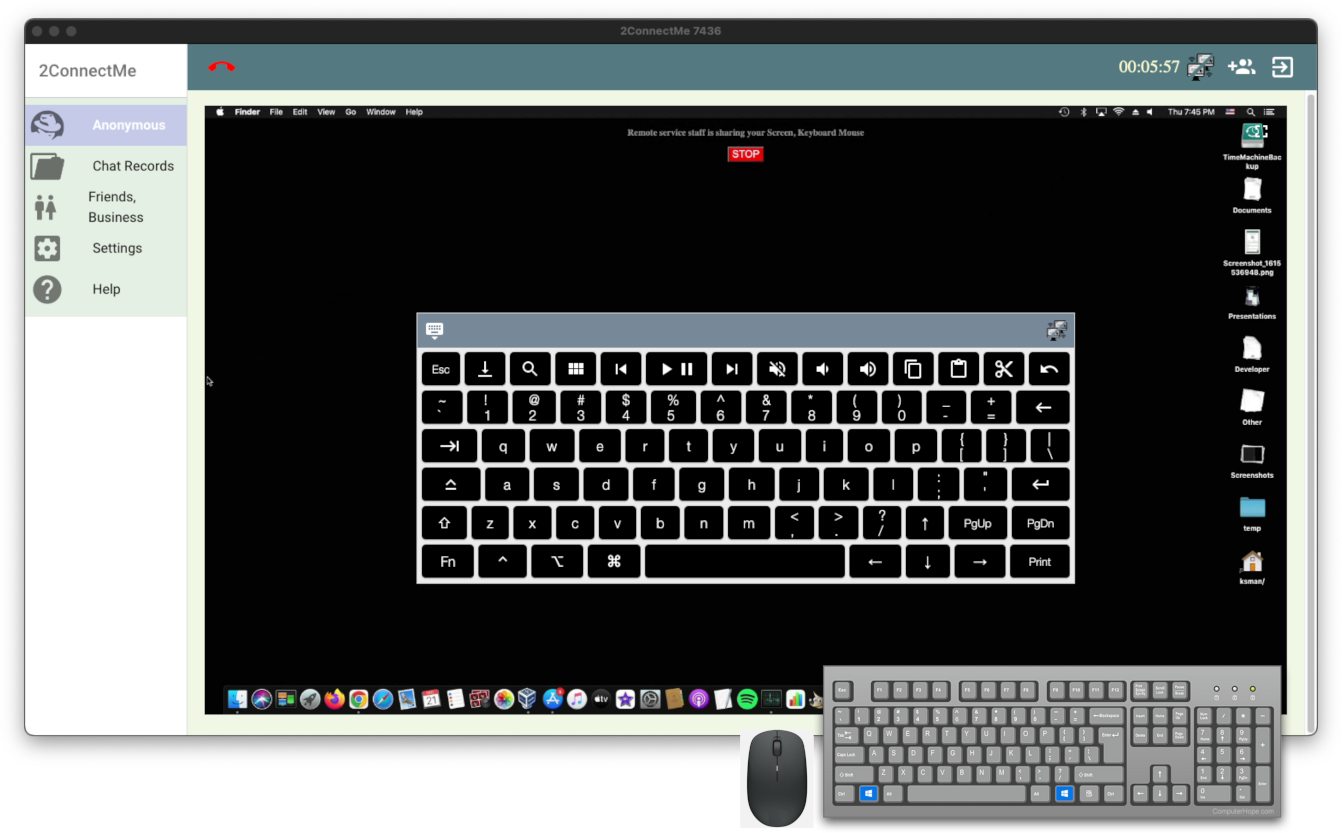
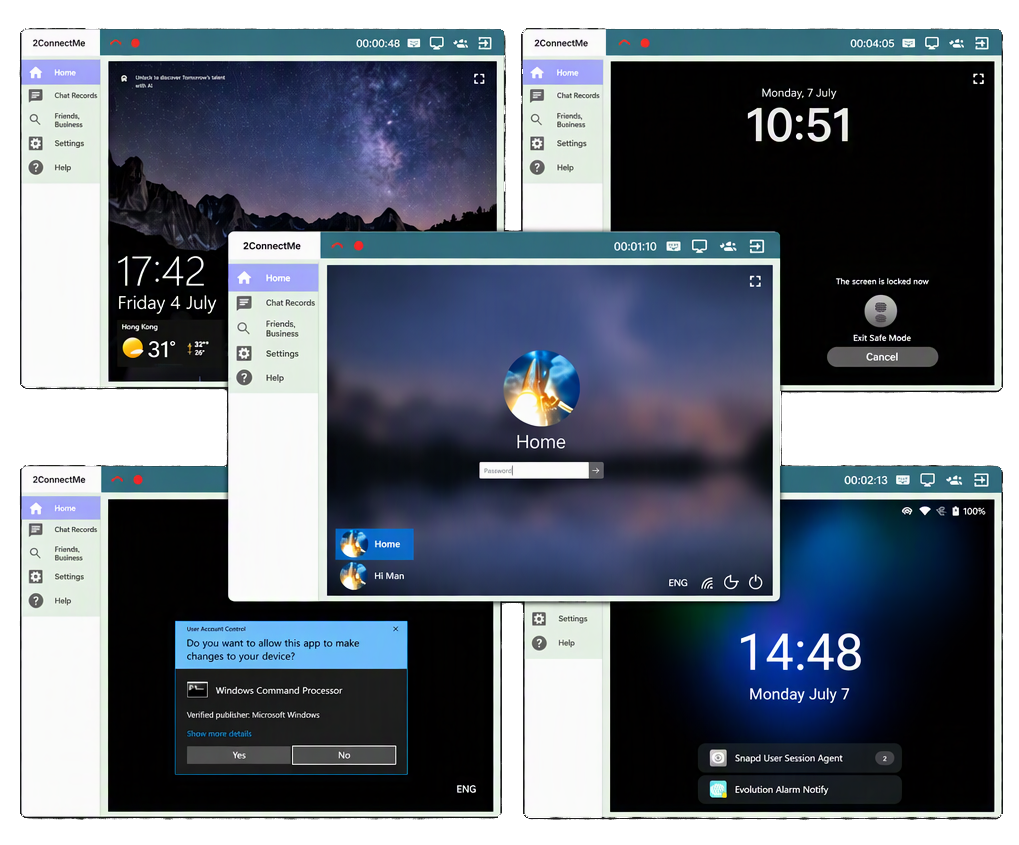
Take full keyboard and mouse control across Windows, macOS, and Ubuntu—even through Windows UAC prompts, lock screens, and system login screens.
Automated Billing
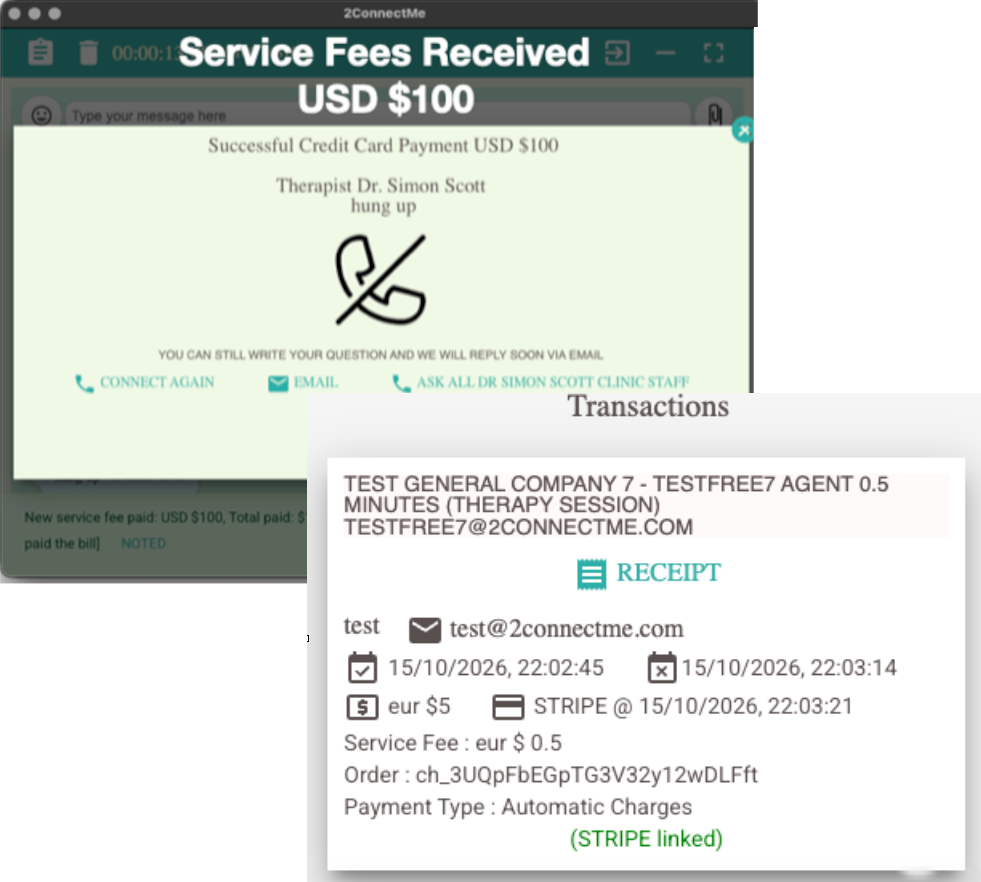
Pre-validate credit cards before paid sessions begin and bill automatically by duration. Built-in HD session recording protects your team against charge disputes.
Capture Anonymous Website Leads Instantly
ZERO-FRICTION CUSTOMER ACCESS
Stop losing prospects to clunky ticket portals and mandatory account signups. Embed a customizable “Help” button on WordPress, Shopify, Google Sites, or any HTML page with zero coding.
- No Client Downloads for Chat: Visitors connect immediately from any standard web browser while keeping both agent and customer identities private.
- Smart Skill-Based Routing: Automatically distribute incoming chats to the right specialist group in large-scale contact centers.
- Seamless Media Switching: Move effortlessly from text chat to voice, video, and co-browsing without dropping the session.
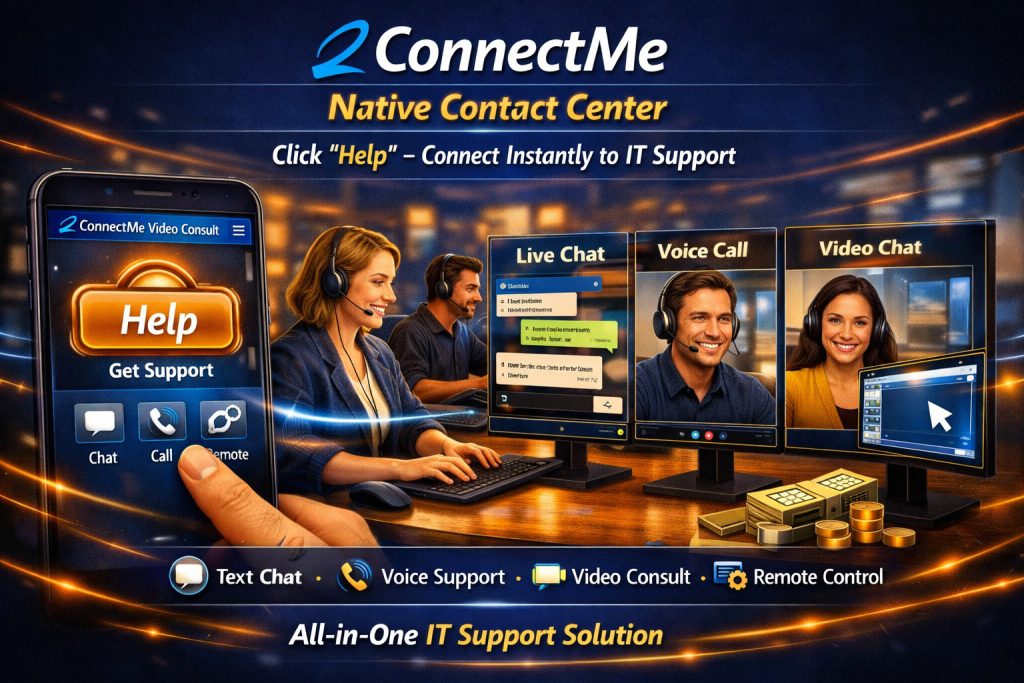
Demo Live Chat Screen Share CoBrowsinng
See Your Visitors @ Website In Real Time
Unmatched Remote Desktop Control—Even at the OS Login Screen
BUILT FOR IT HELPDESKS & MSPS
Standard web screen-sharing tools freeze the moment a system prompt appears. With the lightweight 2ConnectMe Video Consult Guest app installed on client machines (Windows, macOS, and GNOME Linux), your technicians stay in complete control from start to finish.
- Bypass UAC & Lock Screen Roadblocks: Type directly into Windows User Account Control (UAC) prompts, Windows lock screens, and macOS or Ubuntu login screens.
- Unattended 24/7 Access: Allow clients to leave machines in Unattended Mode so your team can perform maintenance anytime without anyone sitting at the desk.
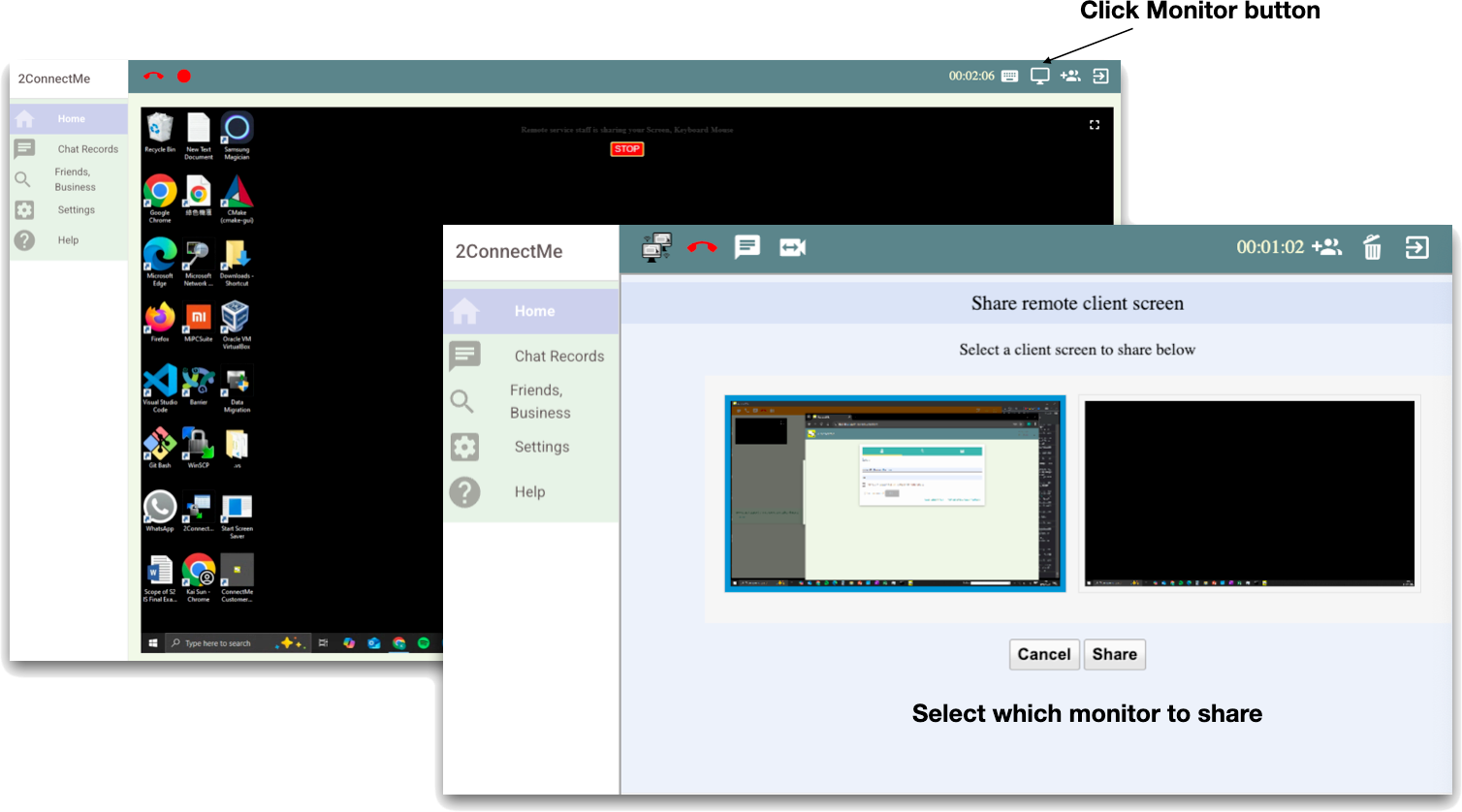
- Multi-Monitor Switching: View and switch between any connected client display with zero disorienting screen swaps.
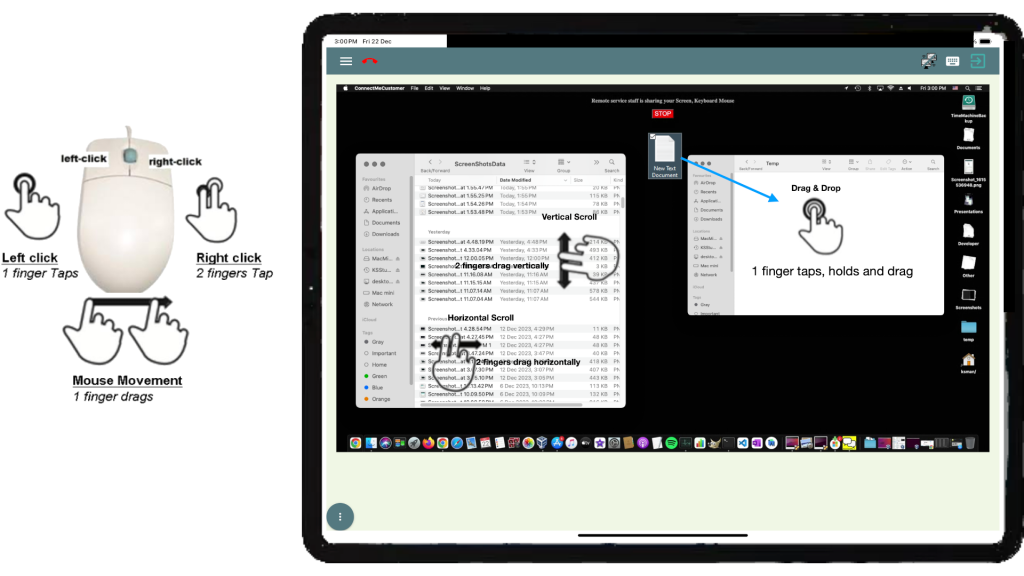
- Direct Keyboard & Mouse Passthrough: Type and navigate natively on remote PCs with real-time synchronization and zero mode switching.
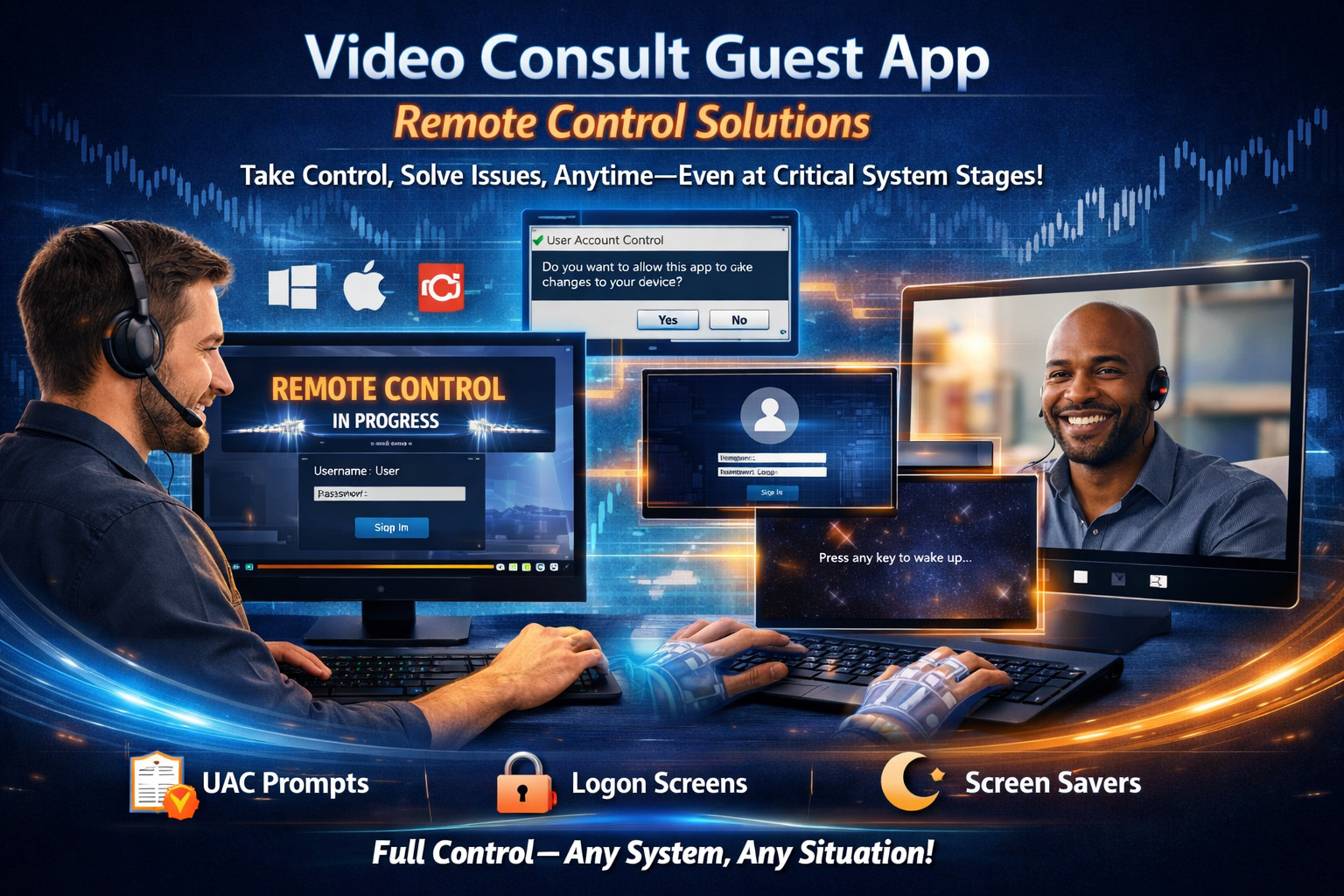
See Remote Control UAC Prompts / Login
See Remote Control of Multiple Monitors
See Direct Keyboard Mouse Pass Through
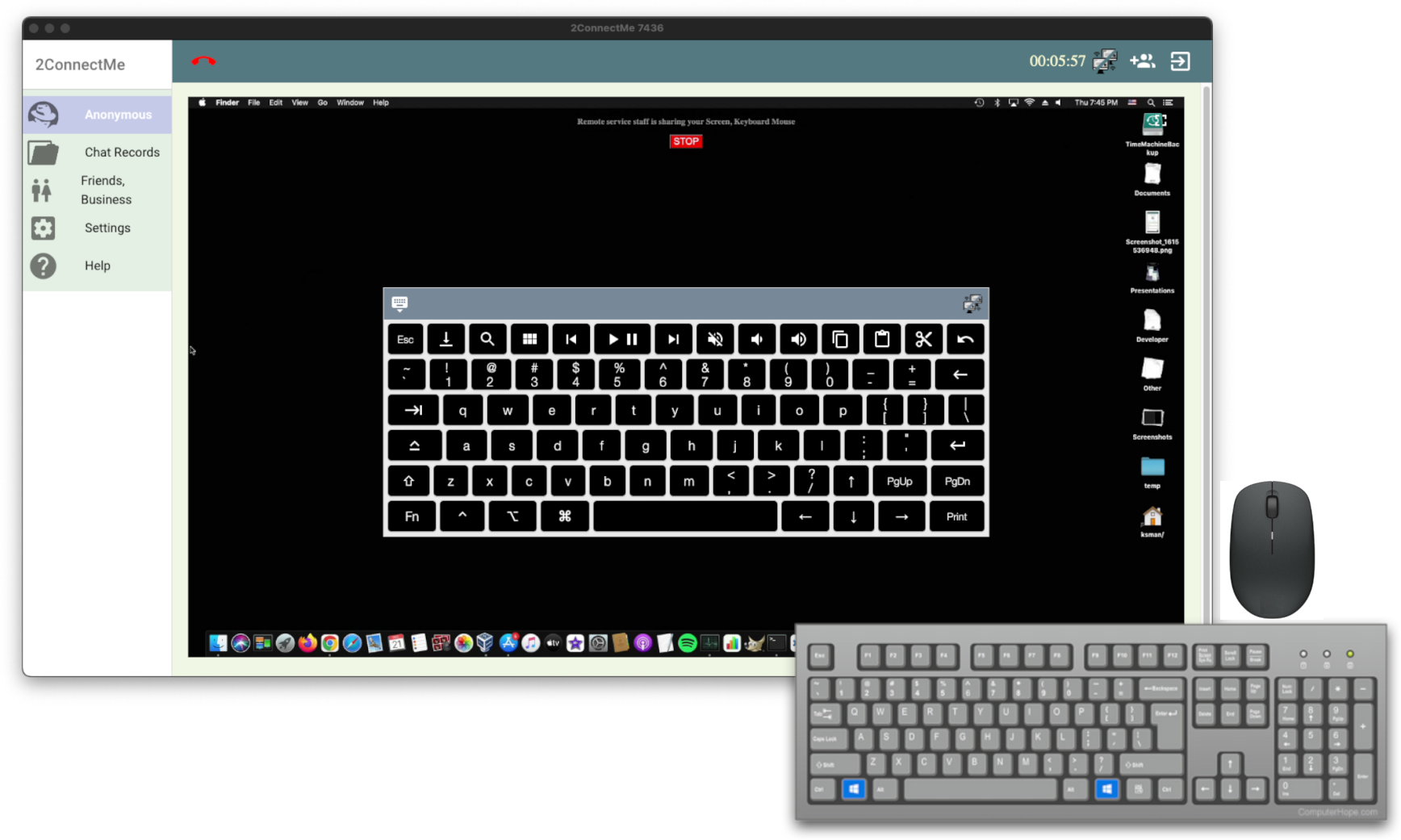
See Soft-Keyboard
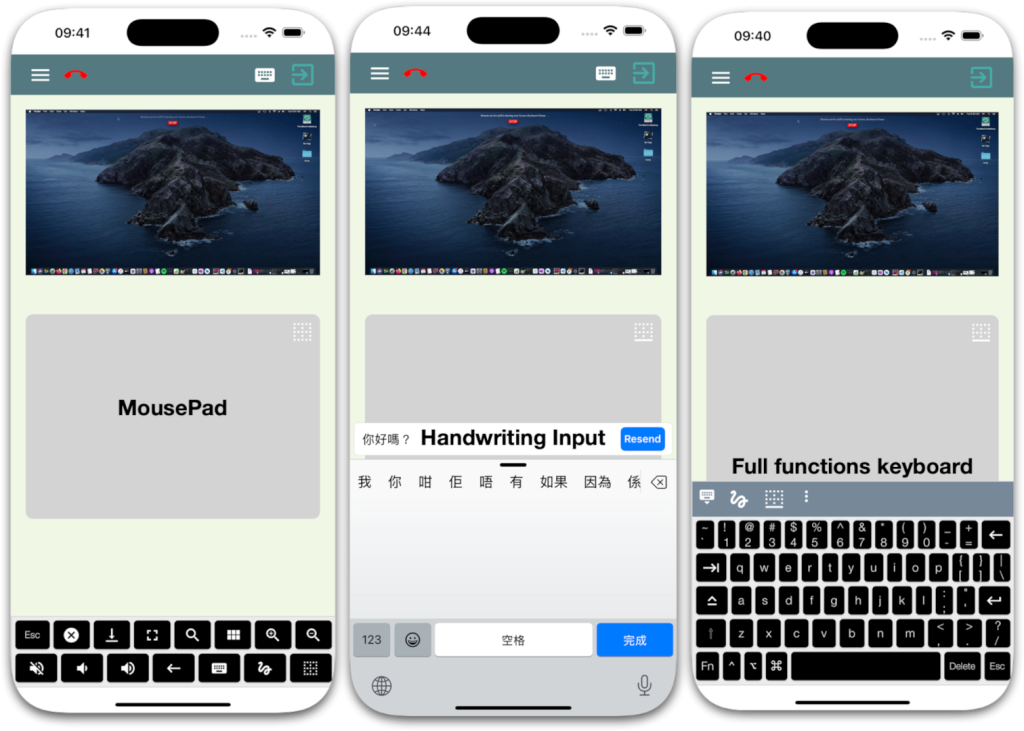
See Mobile Gesture Controlled Mouse
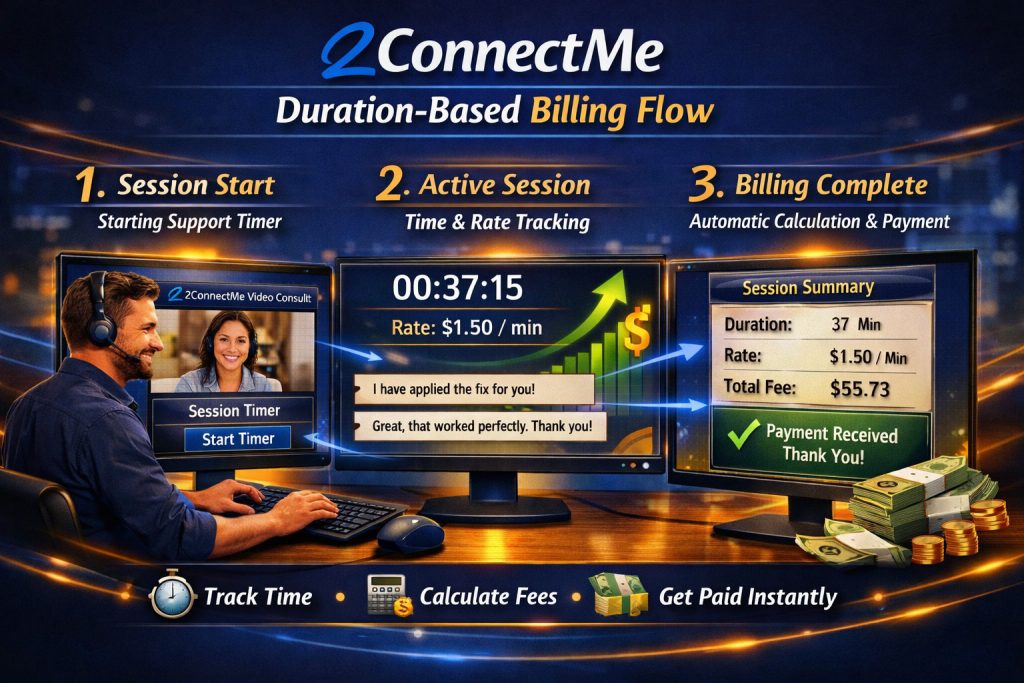
Get Paid Automatically for Every Minute of Support
GUARANTEED REVENUE & QUALITY ASSURANCE
Never waste hours chasing unpaid invoices or losing revenue when a client disconnects early. 2ConnectMe builds payment protection and audit-ready recording directly into every session.
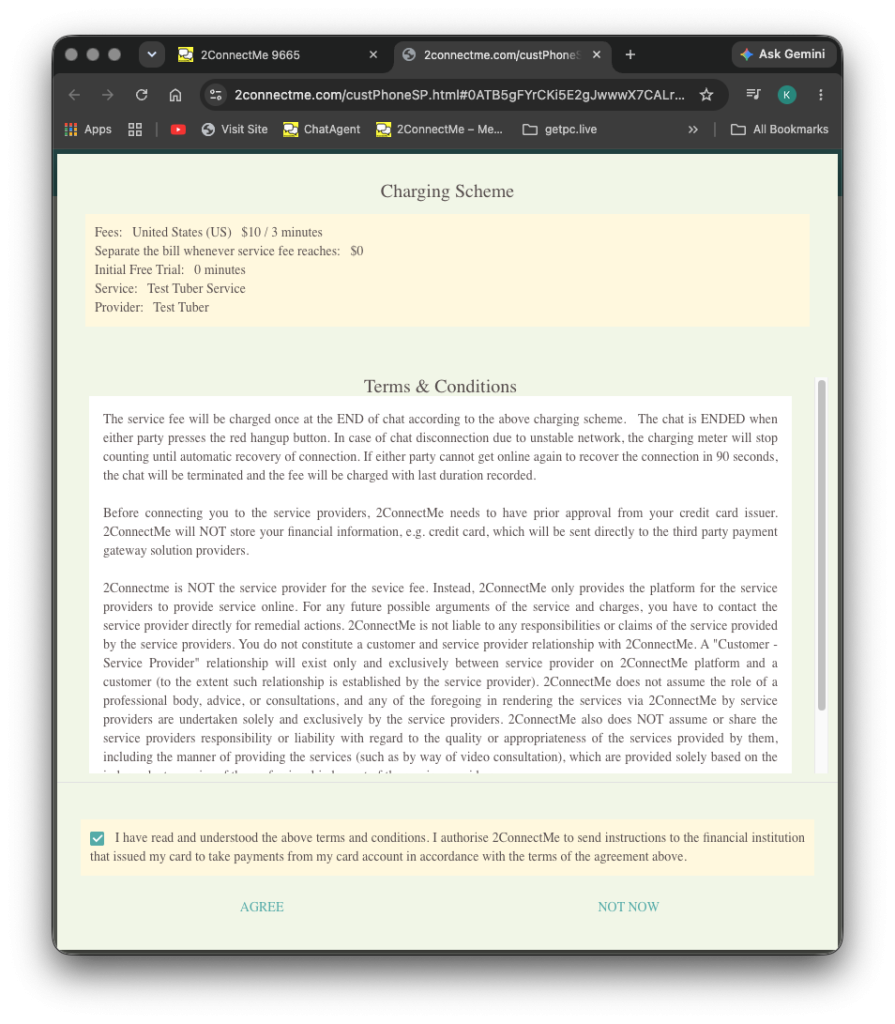
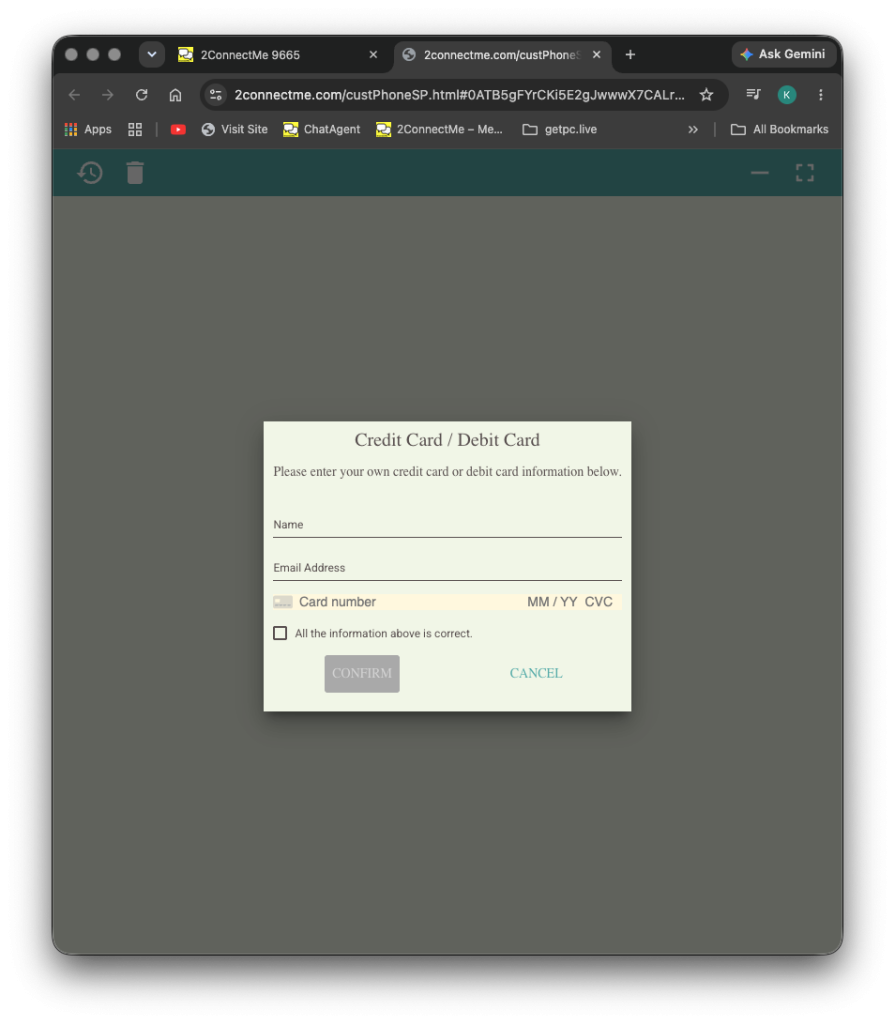
- Upfront Card Pre-Validation: Verify client funds before connecting them to a paid support room.
- Auto-Recovery Timeout Protection: If a customer closes their browser or drops offline mid-session, the system automatically processes the earned balance after a timeout period.
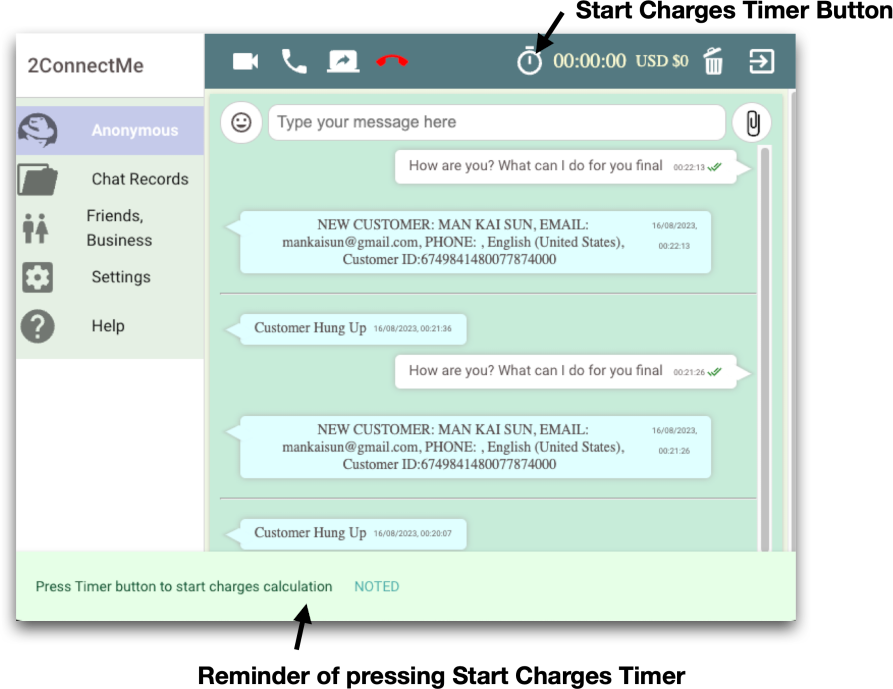
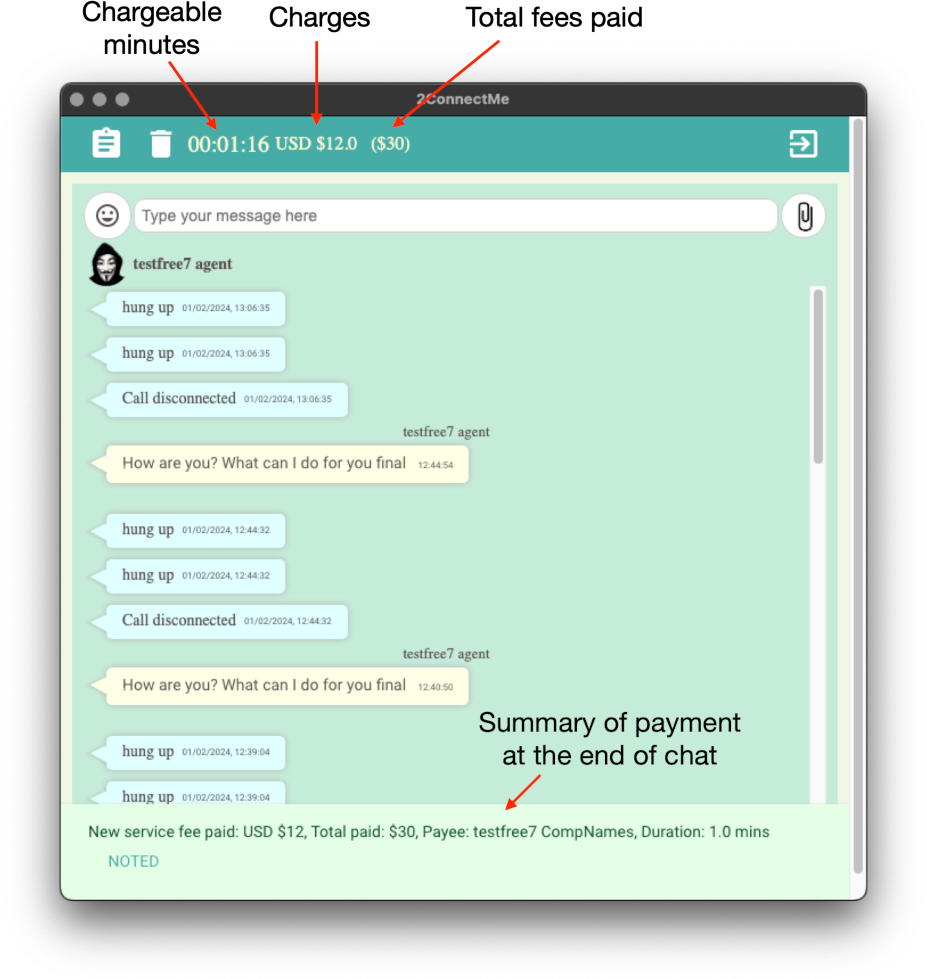
- Flexible Billing Triggers: Charge automatically by the minute with an optional live cost counter, or send manual fee requests on the fly.
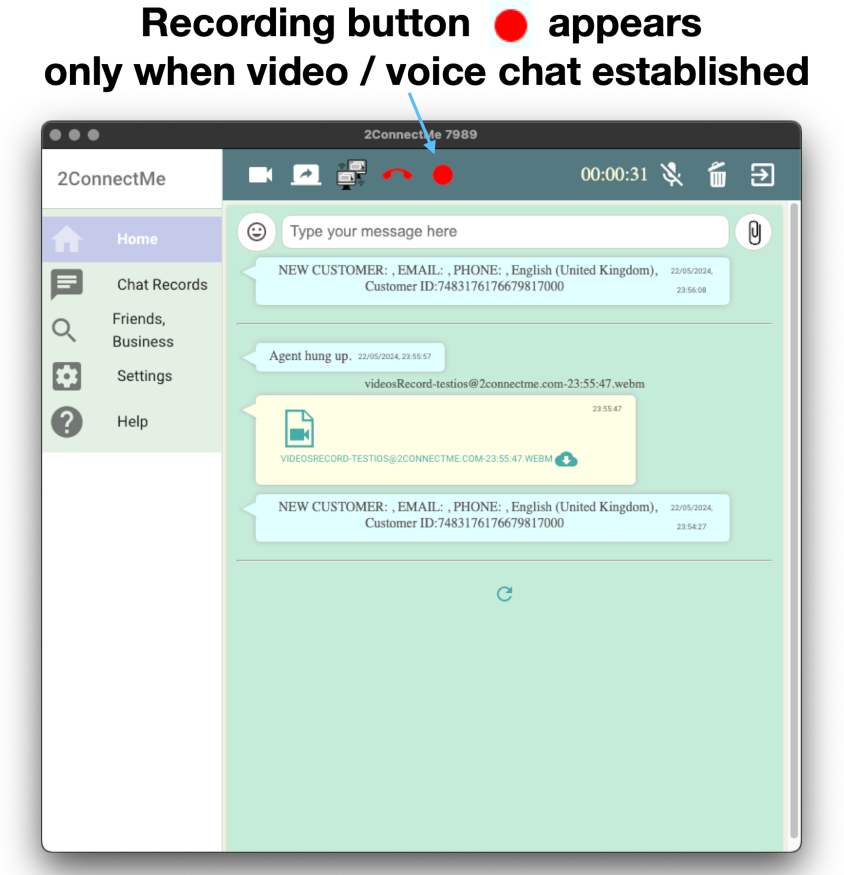
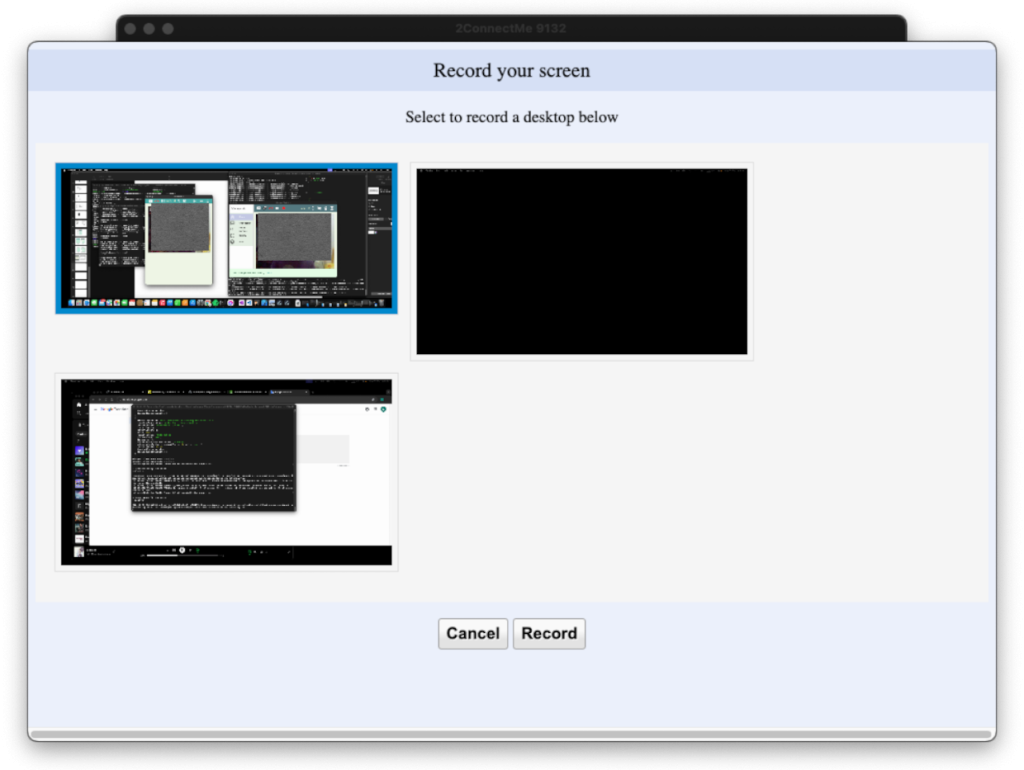
- HD Video & Voice Recording: Capture full screen activity, remote actions, and audio locally for HIPAA/GDPR compliance, agent coaching, and dispute proof.
See Live Billing Counter
See Credit Card Pre-Validation
Demo Duration-Based Billing Flow
What your client sees: Zero Download, Zero Friction
Your client don’t need to create an account, download an app, or share their phone number. They simply click the custom link in your video description or meeting invitation email and enter a secure, private video room right from their mobile or desktop browser.
- One-Click Entry: No software to install. Fans click your link and are instantly connected to your private chat queue.
- Instant Card Pre-Authorization: Before the chat starts, the fan securely authorizes their card via Stripe. No valid card means no connection—so you never waste time on fake requests.
- Live “Taxi-Meter” Transparency: Fans see exactly how the per-minute billing works. When the conversation ends, the meter stops instantly, and the receipt is generated automatically.
- Total Privacy for You: Your personal phone number, email, and social handles remain completely hidden. Fans only ever see your public creator profile.
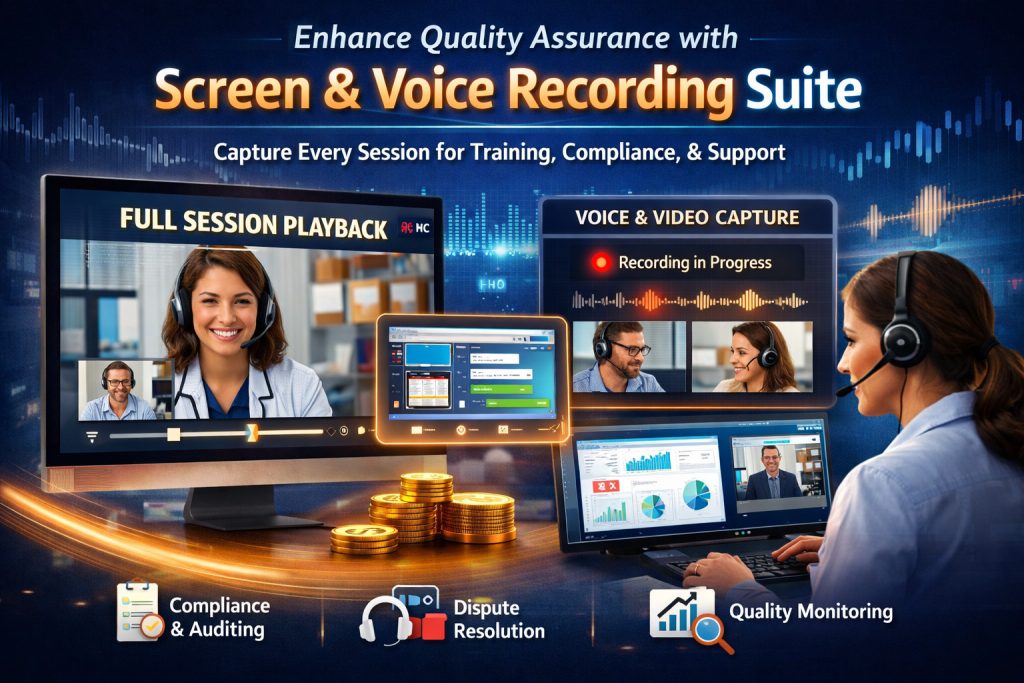
See Video Recording
Launch Your Own Branded Contact Center App—No Code Required
YOUR BRAND, FRONT AND CENTER

Build trust with every anonymous visitor by replacing 2ConnectMe branding with your own company logo, colors, and custom domain. Deploy a complete enterprise communication suite across web and mobile in minutes.
Start Free. Upgrade Only When You Ready.
14-Day Free Trial on Subscriptions (Professional User / Enterprise). No credit card required.
Automatically reverts to the Forever Free plan after 14 days unless you choose to subscribe.
Forever Free Plan
- $0 / month
- Activated automatically upon registration
- Up to 40 minutes per chat session.
- Remote Desktop Control Up to 15 minutes per chat session.
- Limited to an agent only.
- Limited to a single chat room (GENERAL).
- Bonus: Any paid session generating customer revenue automatically unlocks 100% full features with zero time limits—even on the Forever Free plan.
Professional User Plan
- $10 / month
- Those privileges in Forever Free Plan.
- Unlimited duration and session of chat.
- Full access to remote desktop control, recording, and omnichannel tools
Growing Business
- $49 / year
- Those privileges in Professional User Plan.
- Unlimited agent staff.
- Unlimited chat room.
- Total number of chat sessions: 500.
Enterprise
- $49 /month /agent
- Those privileges in Growing Business Plan.
- Unlimited number of chat session.
- Unlimited number of chat room.
Ready to Turn Support Calls Into Instant Revenue?
Set up your workspace in under 5 minutes and test remote desktop control with our self-run demo.