Switch seamlessly from live chat or video calling into full remote keyboard and mouse control. Troubleshoot across Windows UAC prompts, login screens, and multiple monitors—with optional per-minute Stripe billing built right in.
Live On-Demand Remote Control
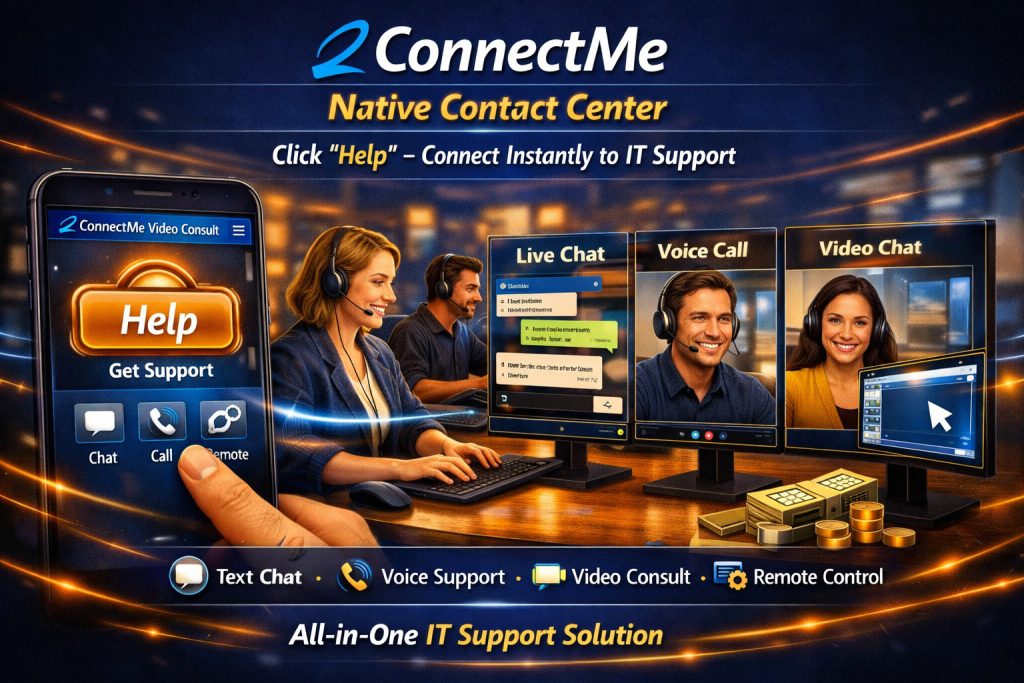
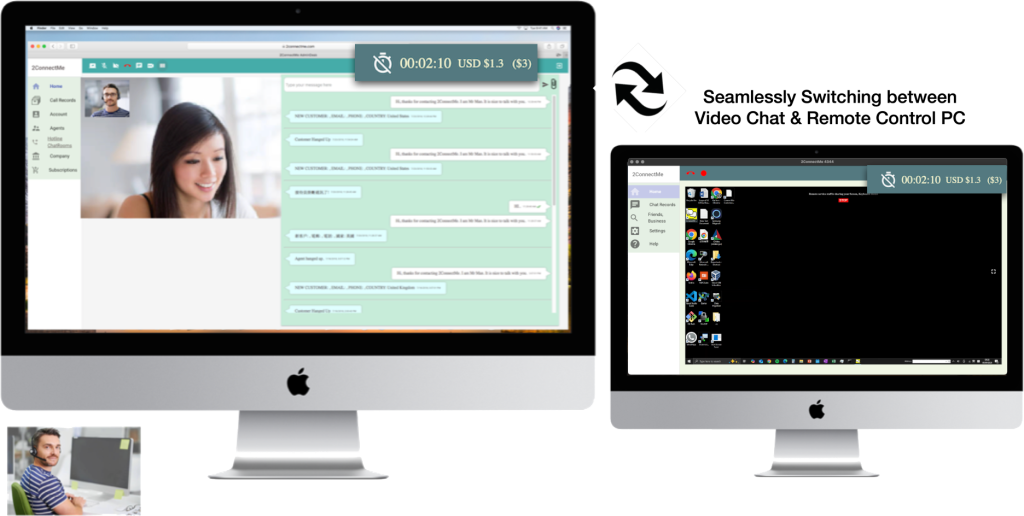
Start with browser text chat, voice, or a live video call to understand the client’s issue, then switch directly into full remote keyboard and mouse control with one click—no need for customers to install separate meeting tools or read out complex ID codes.
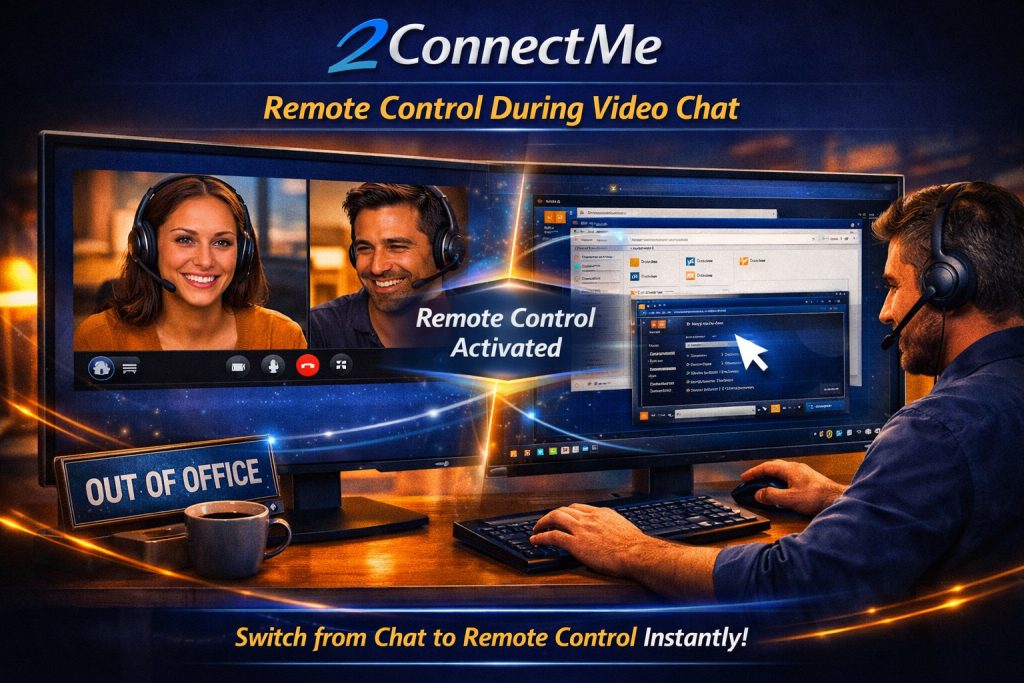
Screen of seamlessly switching between video chat and remote contron PC
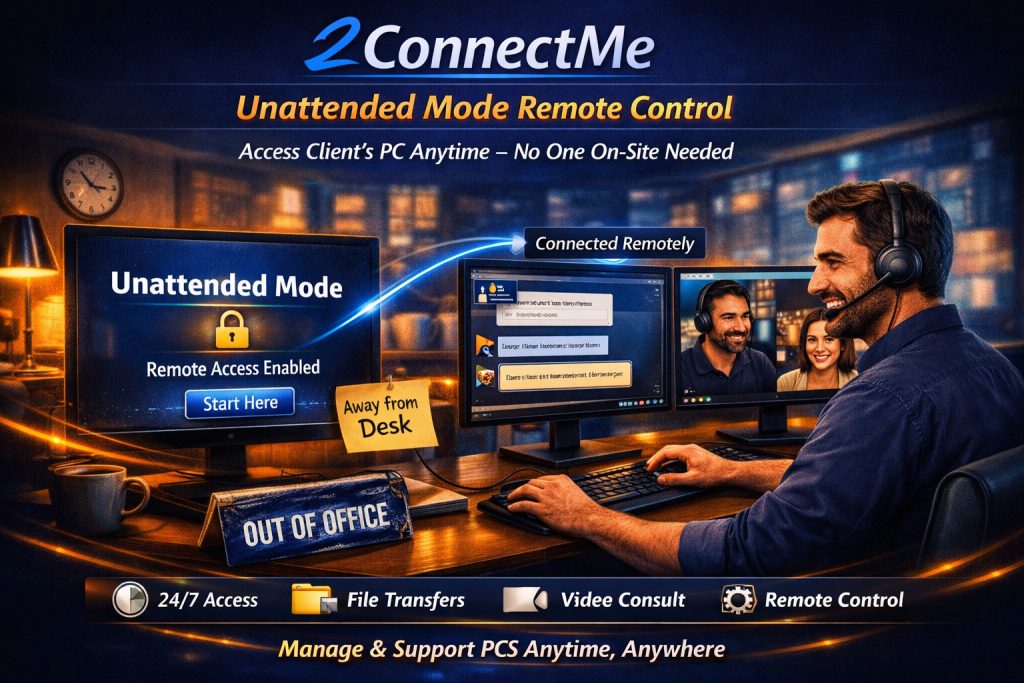
24/7 Unattended Mode of remote control
When your client leaves the 2ConnectMe Video Consult Guest app running in Unattended Mode, your support team can connect to managed desktops, servers, or POS terminals anytime—even when nobody is sitting in front of the screen.
Video illustrating remote control of PC at unattended access mode
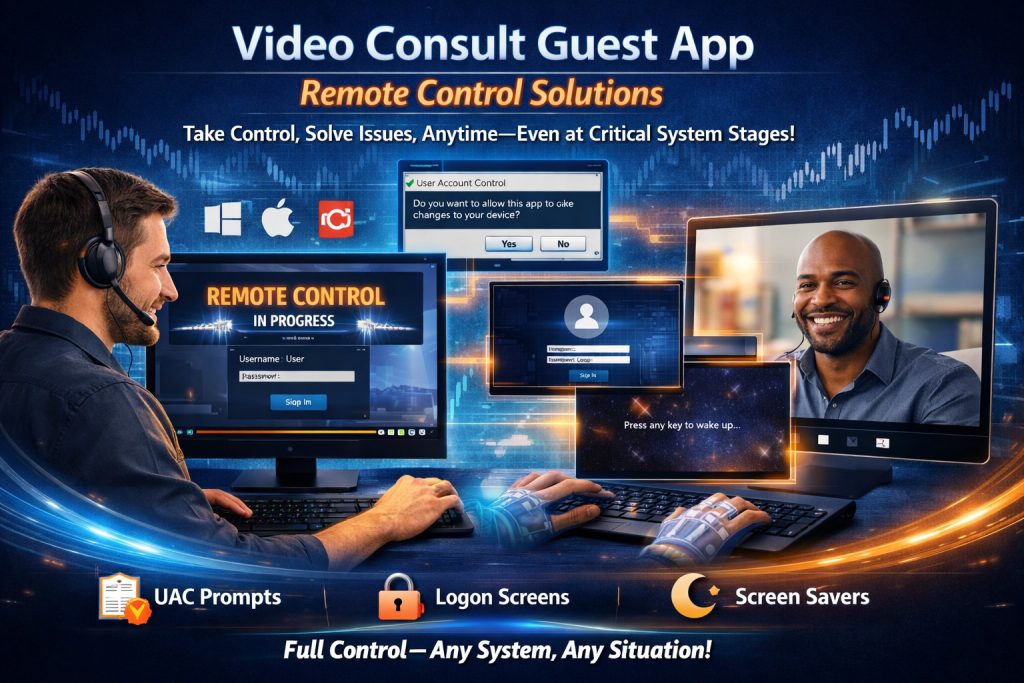
Full Control Over Windows UAC Prompts, Lock Screens & Logins
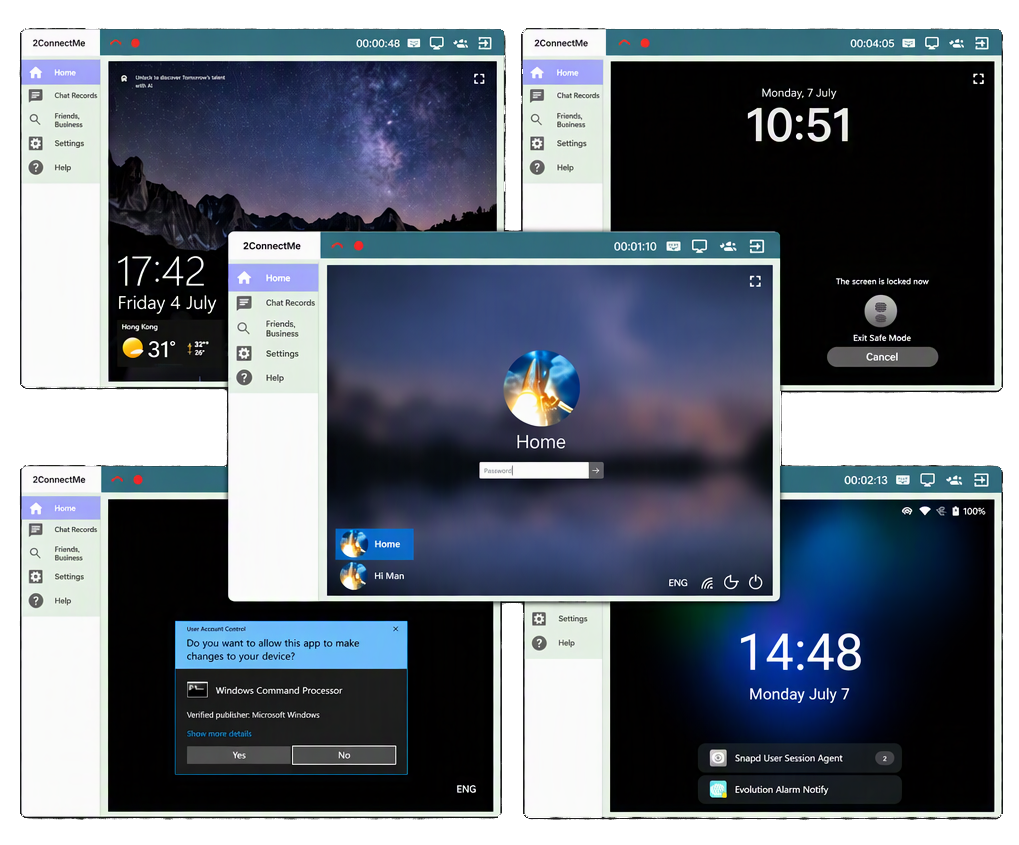
Standard browser screen-sharing freezes the moment an administrator prompt appears. With the lightweight 2ConnectMe Video Consult Guest app installed on client PC, your team keeps uninterrupted control at every system stage:
- Windows UAC & Lock Screens: View and type directly into Windows User Account Control (UAC) elevation prompts, Windows Logon Screens, and locked desktops.
- macOS & Ubuntu Login Screens: Unlock and log into remote Mac and Ubuntu workstations even when the screen saver or login screen is active.
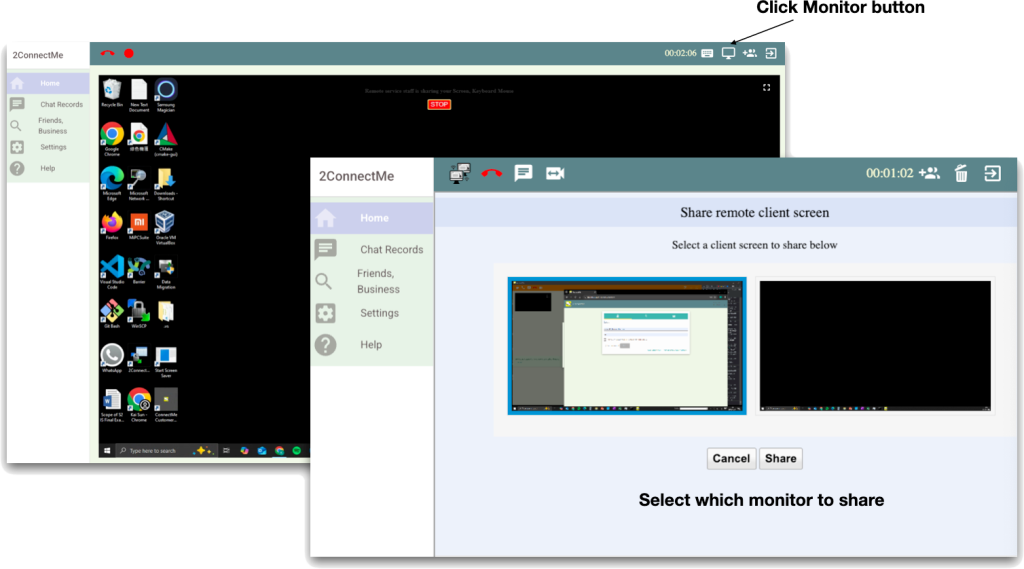
- Multi-Monitor Switching: View all connected displays on a client’s workstation and switch between any monitor with one click.
Control Remote PCs From Windows, Mac, iOS, Android & Web
Your technicians are never tied to a desk. Start a session on your office workstation or jump into an urgent fix straight from your iPhone, iPad, or Android device with instant push notifications.
- Direct Keyboard & Mouse Passthrough: Type and click on remote Windows, Mac, and Ubuntu machines just as if you were sitting in front of them.
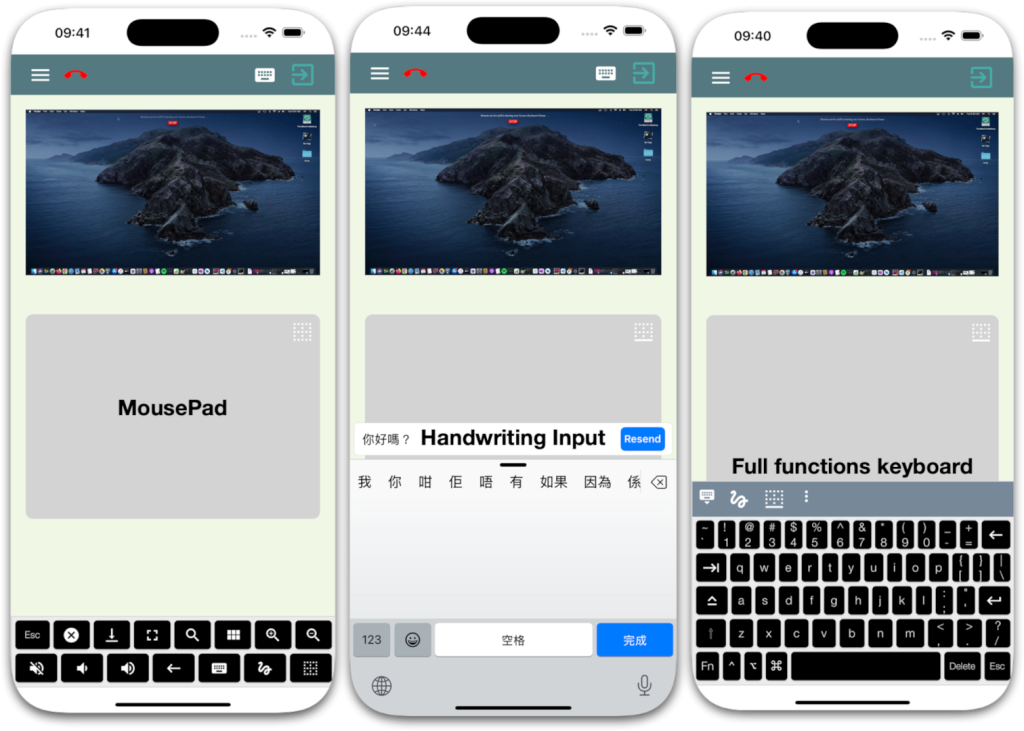
- Precision Mobile Touch Gestures: Replicate right-clicks, scrolling, dragging, and zooming effortlessly on iOS and Android touchscreens.
- Built-In Mobile Soft Keyboard: Type commands, passwords, and shortcuts cleanly on remote desktops from your phone or tablet.
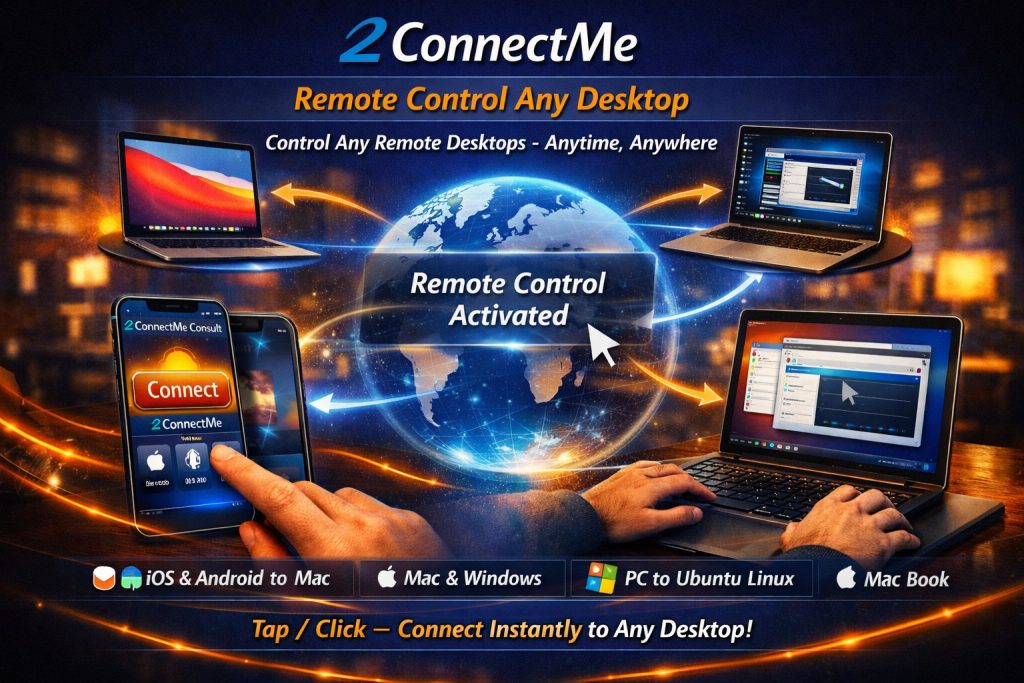
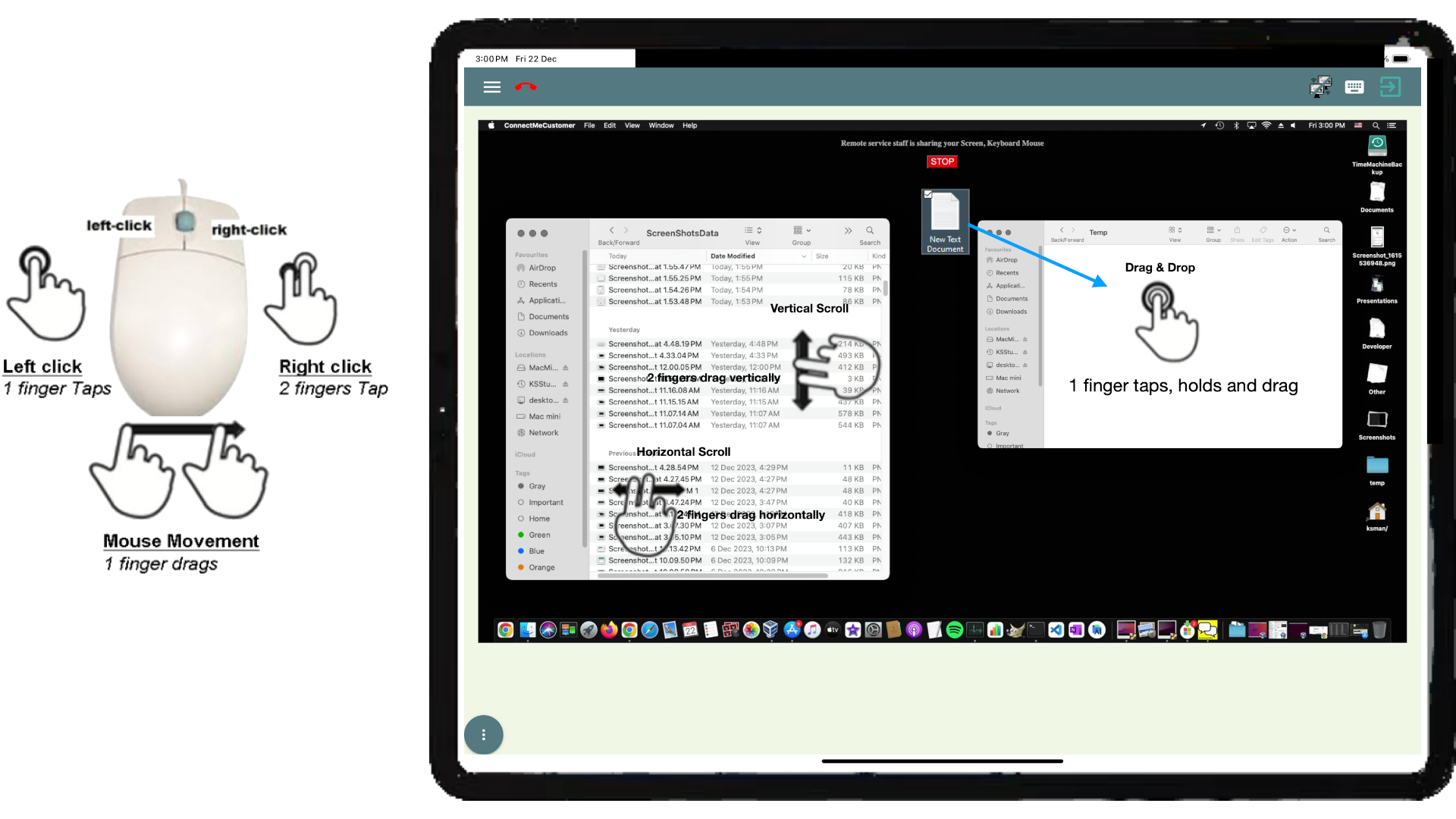
2ConnectMe Video Consult Suite Connect Desktop any time anywhere
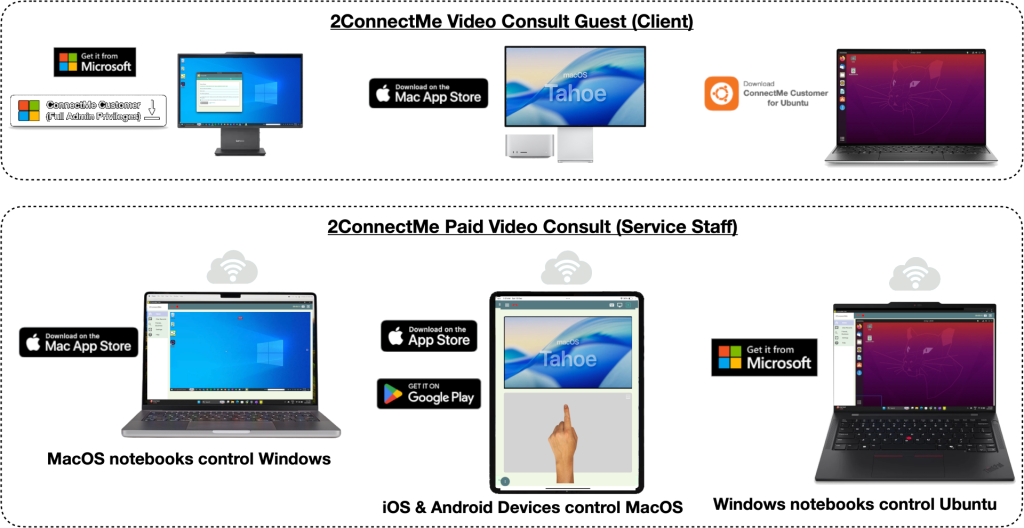
2ConnectMe Paid Video Consult app (Mac) remotely controlling ConnectMe Video Consult Guest app on Client desktop (Mac)
Built-In HD Session Recording & Automated Per-Minute Billing
Record screen activity, voice conversations, and remote control actions in high definition for dispute resolution, technician training, and compliance auditing (HIPAA / GDPR).
- 🎥 Full Session Playback
- Record screen activity, voice calls, and remote control actions in high definition.
- Perfect for auditing, training, and compliance (e.g., HIPAA, GDPR).
- 📢 Voice & Video Capture
- Preserve customer-agent conversations for accuracy and transparency.
- Resolve disputes with evidence-based insights.
- 📊 Quality Monitoring Made Easy
- Supervisors can review recordings to evaluate agent performance, identify best practices, and provide targeted feedback.
- Use real examples for onboarding and continuous training.

“Recording sessions helped us reduce training time by 30% and improve customer satisfaction scores.”
Support Clients From Anywhere—On Desktop, Mobile, or Browser
Never miss an urgent support call or paid consultation. With the 2ConnectMe Paid Video Consult app, your team stays reachable and productive wherever they are:
- True Cross-Platform Access: Work seamlessly across Windows, Mac, iOS, Android, or any standard web browser.
- Instant Push Alerts: Receive real-time mobile and desktop notifications the second a client requests help.
- Switch Devices Mid-Session: Start troubleshooting on your office PC and finish on your phone or tablet on the go.
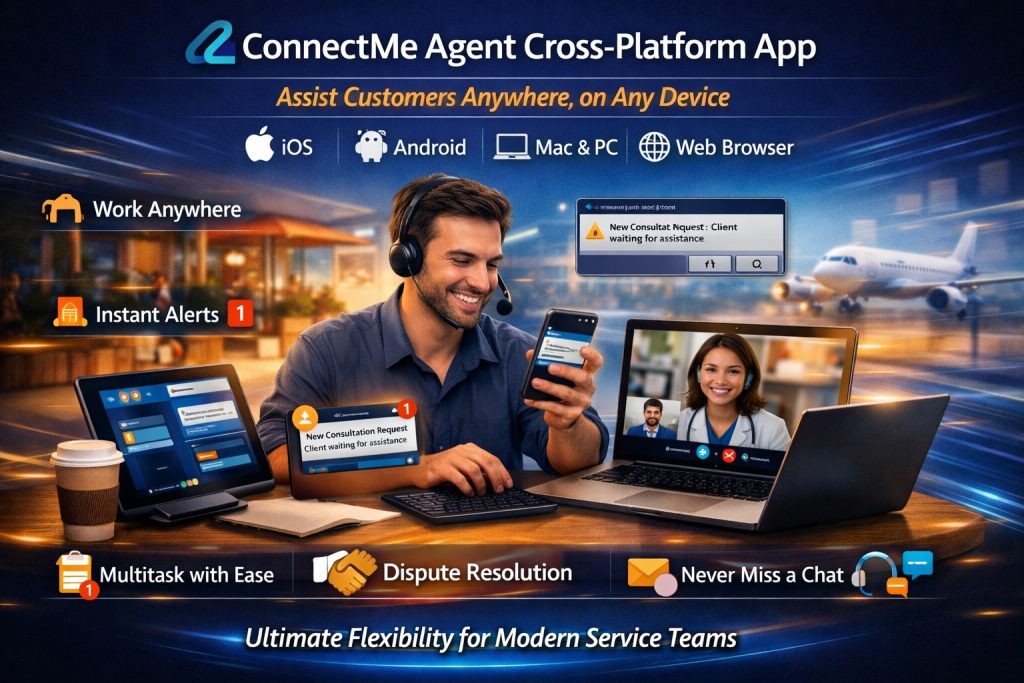
2ConnectMe Paid Video Consult app on Mobile Devices and Browsers controlling remote customer desktop (macOS)
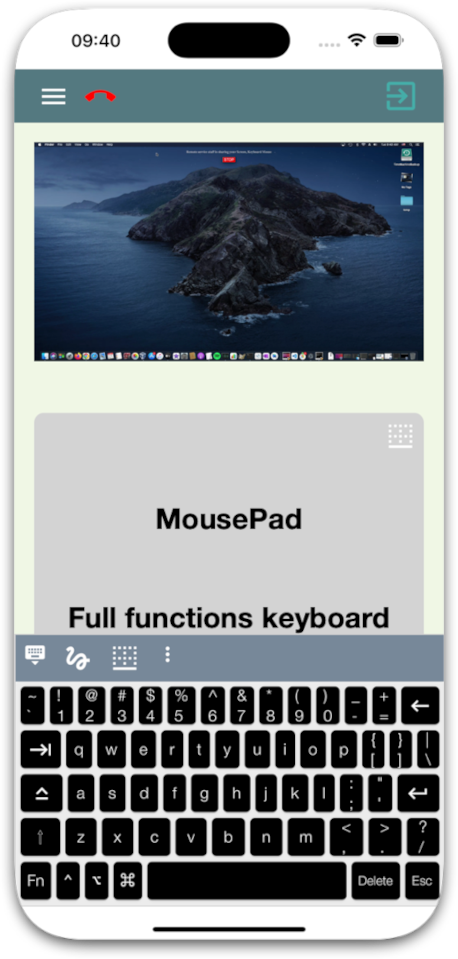
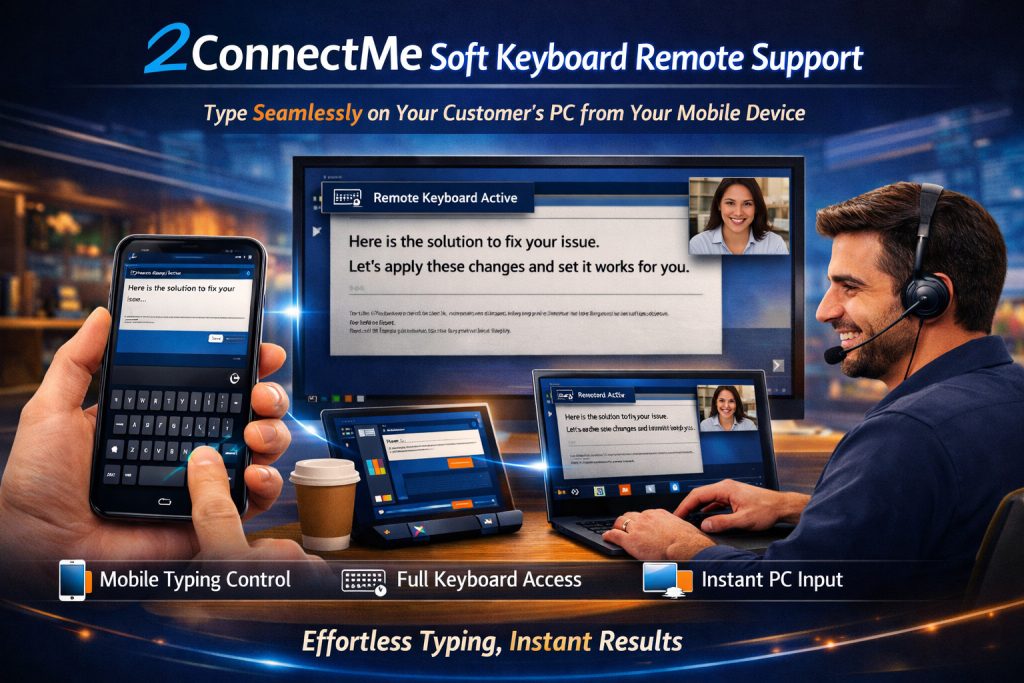
Built-In Soft Keyboard for Effortless Mobile TypingKeyboard
Troubleshoot client computers from your phone or tablet without missing a keystroke:
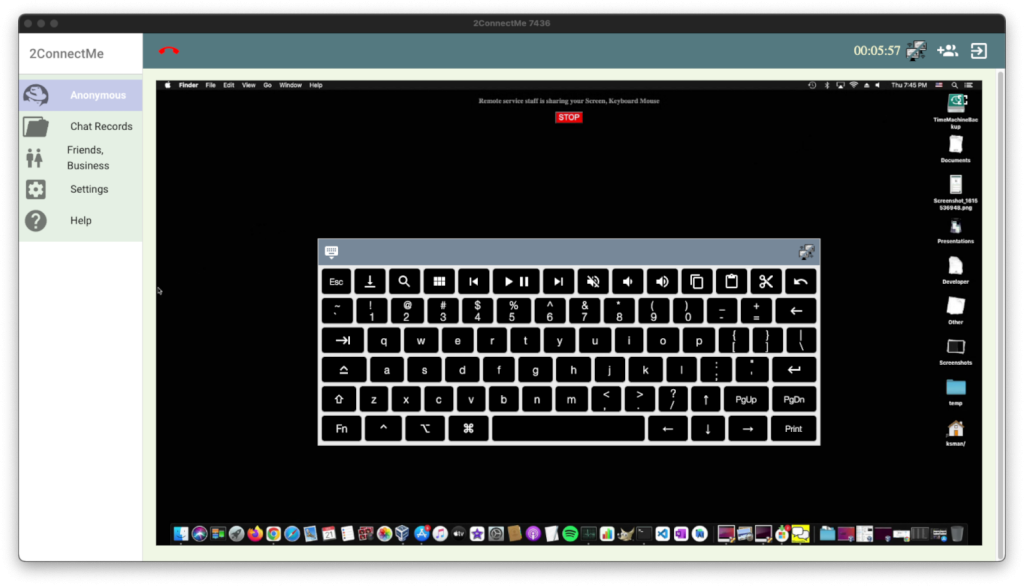
- Full Desktop Key Access: Type commands, shortcuts, and login credentials directly into a customer’s Windows, Mac, or Ubuntu PC from mobile.
- No Screen Cramping: Avoid tiny, awkward touchscreen keyboards when entering complex passwords or system prompts.
- Fix Issues on the Go: Send quick replies and finish urgent troubleshooting without switching back to a desktop computer.
Soft-keyboard on service staff app enables direct typing on client customer keyboard
Zero-Friction Keyboard & Mouse Control on Remote Desktops
Work inside a client’s Windows, Mac, or Ubuntu machine with the exact same speed as your own desk:
- Direct Keyboard Passthrough: Use your local keyboard shortcuts, hotkeys, and typing flow without delays or missed keys.
- Real-Time Mouse Synchronization: Point, click, drag, and scroll with instant cursor response.
- No Mode Switching: Move seamlessly between chatting and controlling the remote desktop without extra steps.
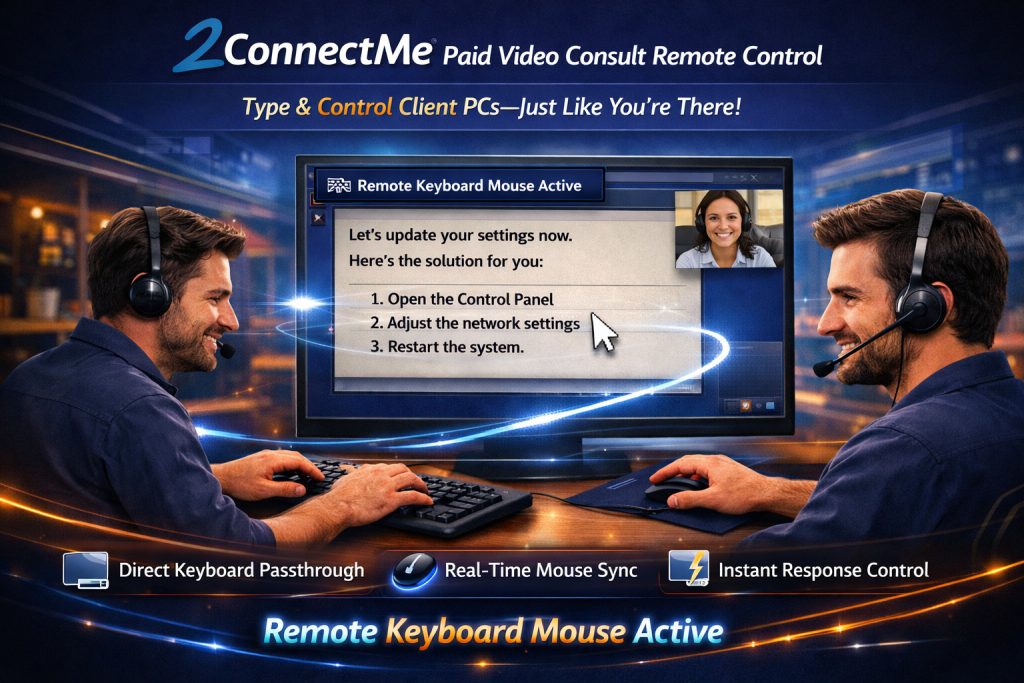
Service staff local keyboard mouse controls the remote client customer keyboard mouse
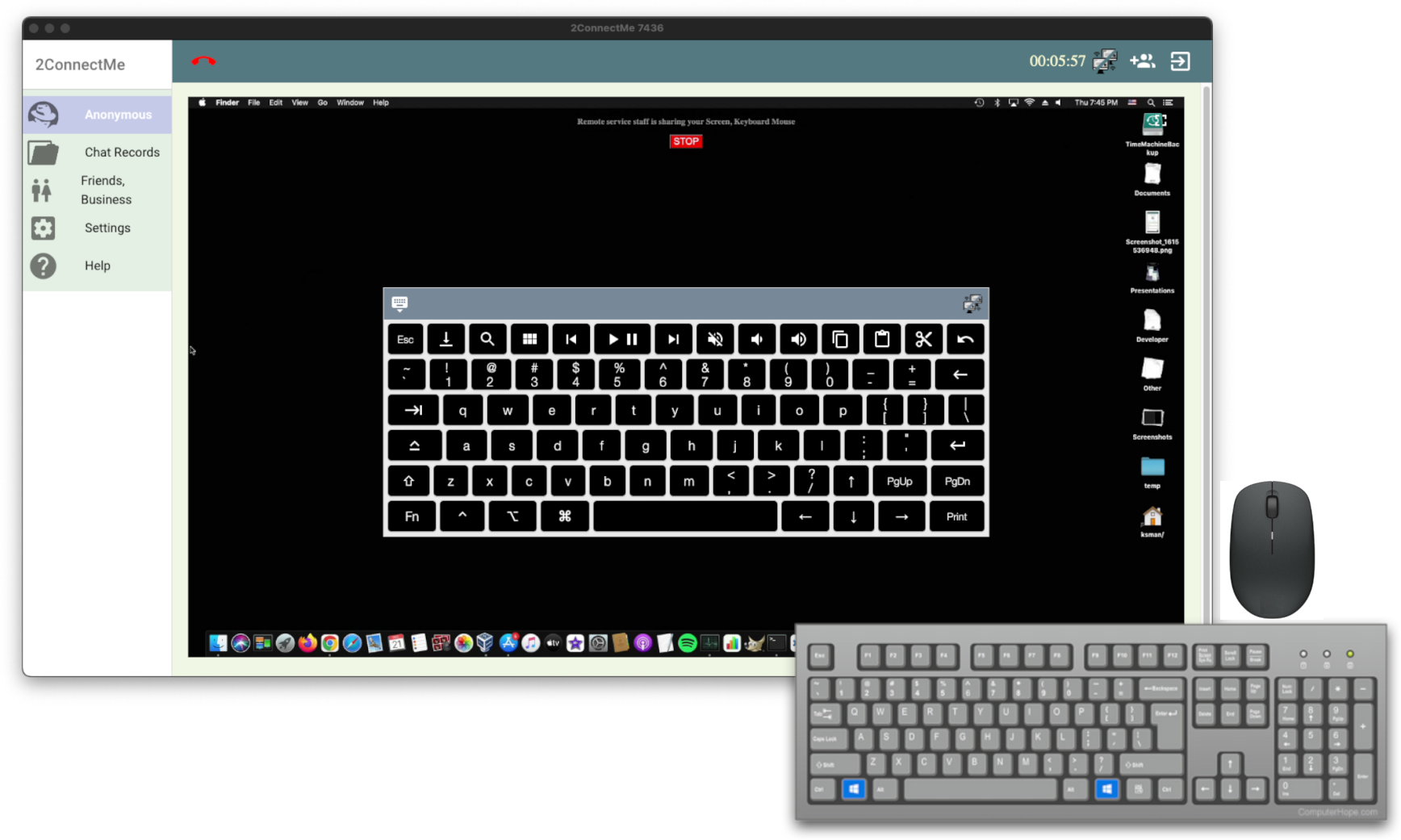
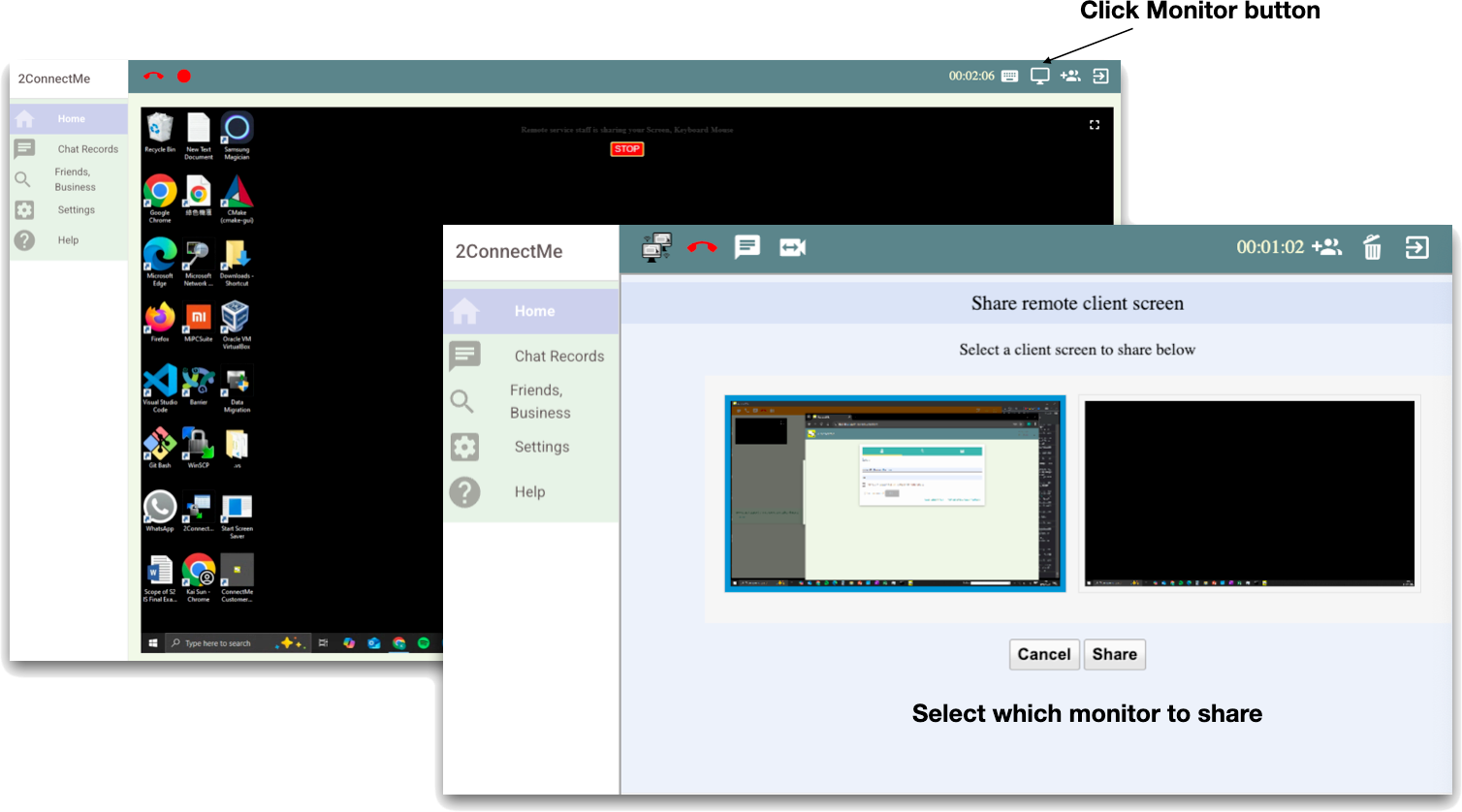
Full Visibility & Control Across Multiple Monitors
Assist clients using dual- or triple-monitor workstations without losing track of pop-up windows:
- One-Click Display Switching: Jump instantly between any monitor connected to the client’s PC.
- Zero Blind Spots: Catch error dialogs or settings windows that open on secondary screens.
- Faster Troubleshooting: Resolve multi-screen software issues without asking the client to drag windows around.
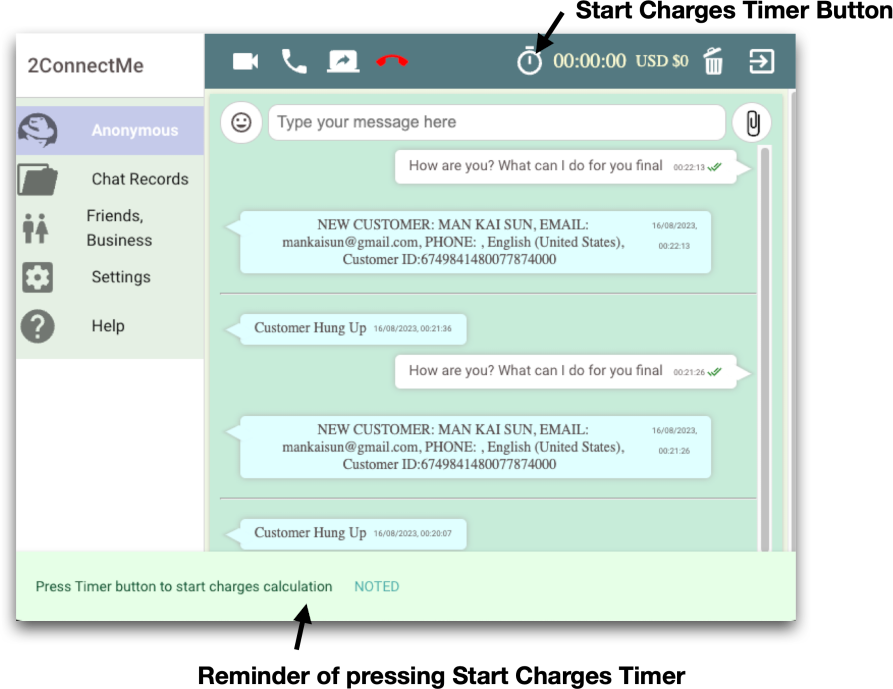
Built-In Per-Minute Billing & Instant Fee Collection
Offer free support for retainer clients, or turn on automatic billing whenever you deliver priority troubleshooting:
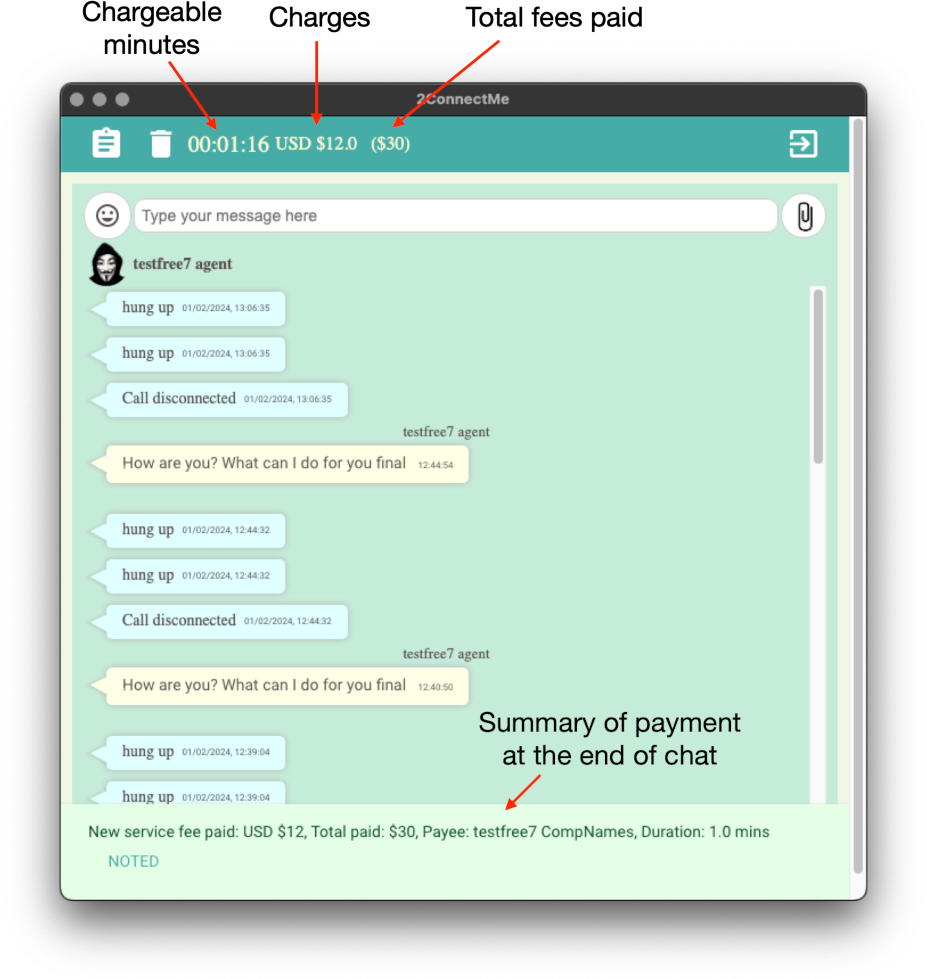
- Automated Per-Minute Meter: Track session time to the second and charge the client’s pre-authorized card automatically when the call ends.
- One-Click Fee Requests: Send a custom flat-rate payment request directly inside the chat window for one-off fixes.
- Zero Manual Invoicing: Funds settle straight to your Stripe account—no external billing links or unpaid follow-ups.
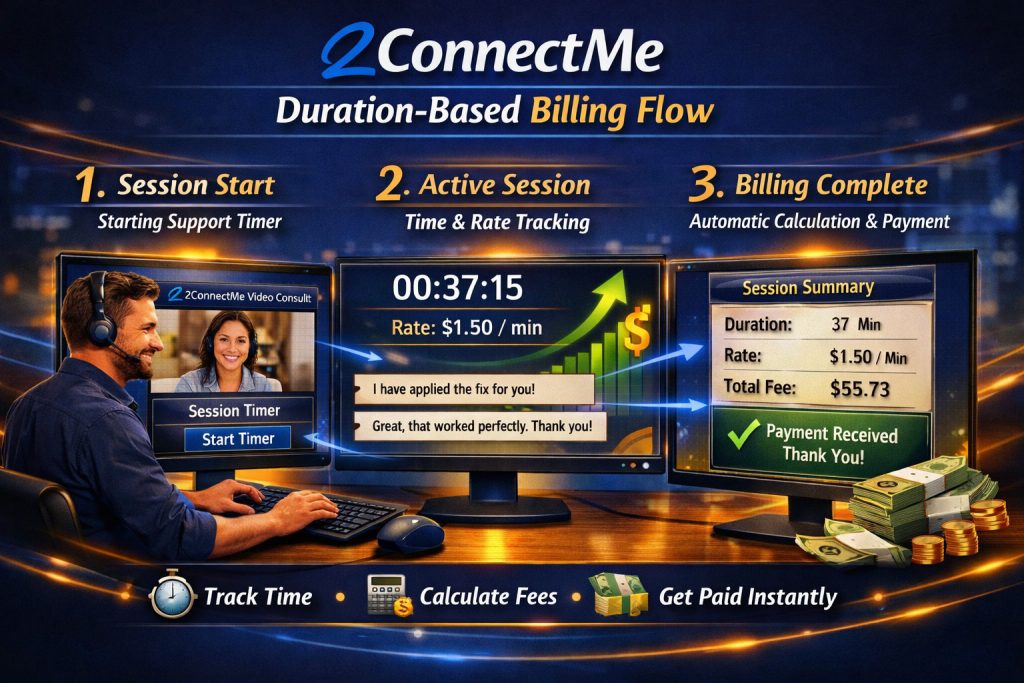
See Live Billing Counter
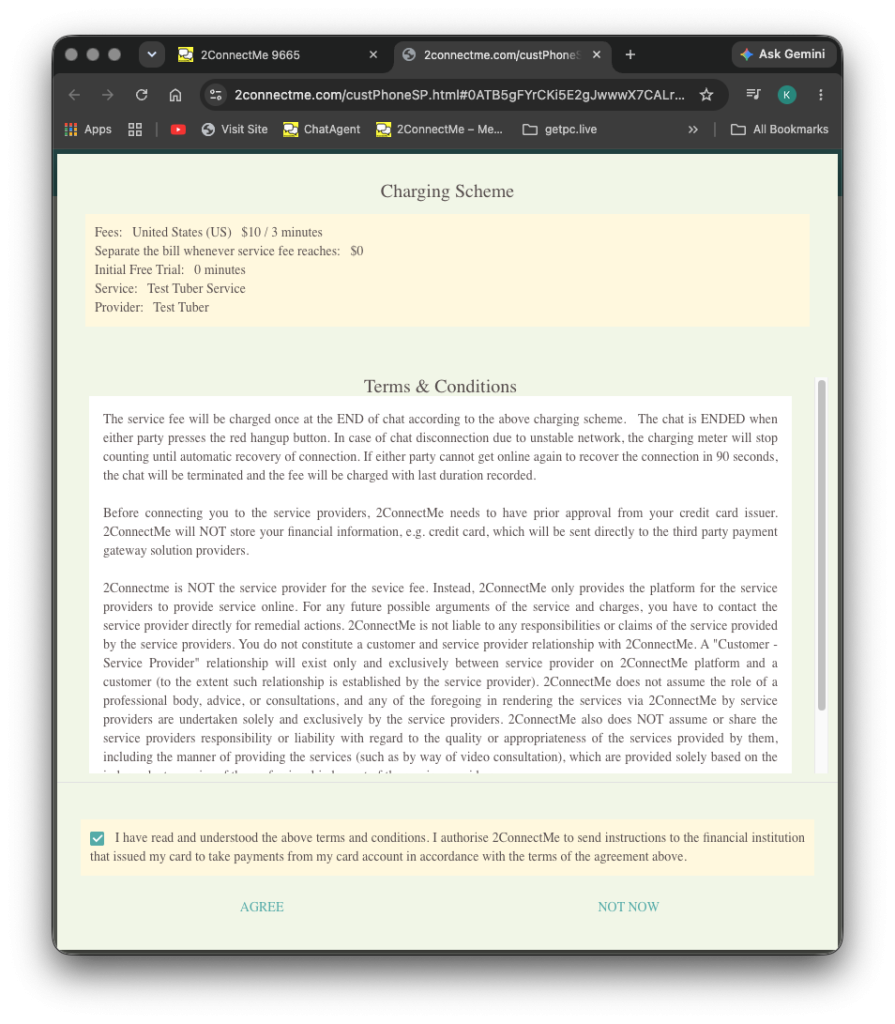
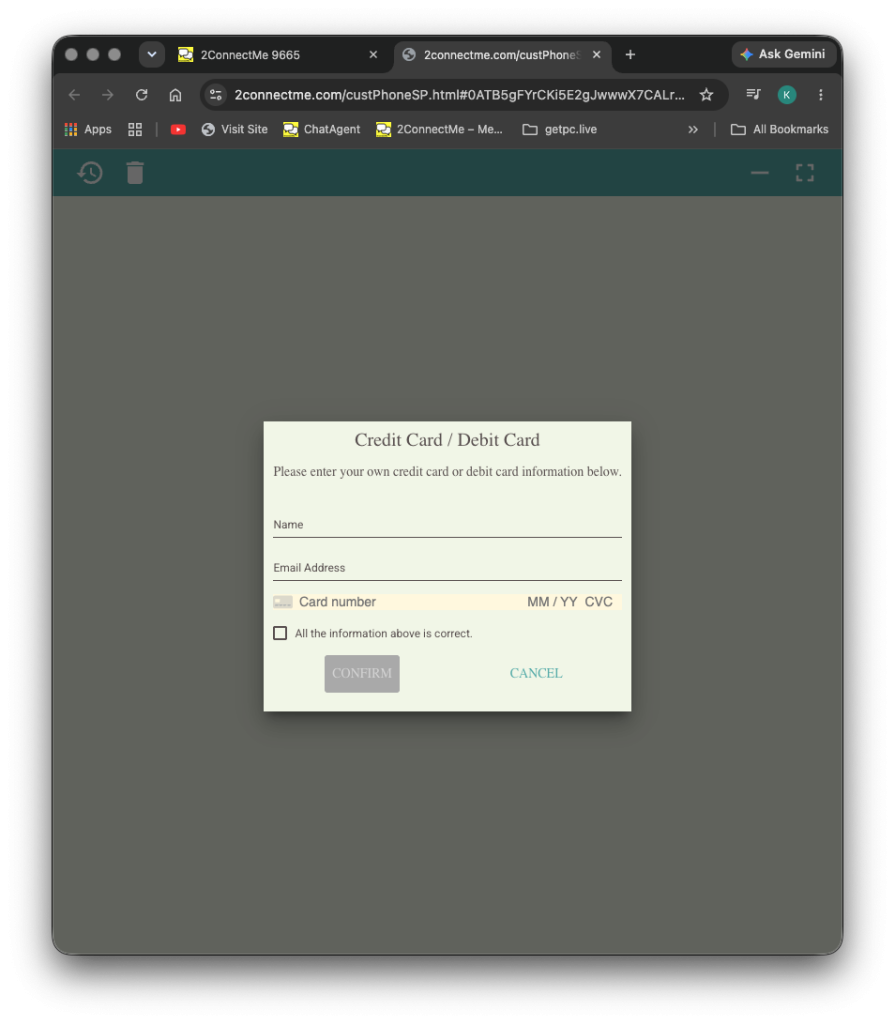
See Credit Card Pre-Validation
Demo Video
What your client sees: Zero Download, Zero Friction
Your client don’t need to create an account, download an app, or share their phone number. They simply click the custom link in your video description or meeting invitation email and enter a secure, private video room right from their mobile or desktop browser.
- One-Click Entry: No software to install. Fans click your link and are instantly connected to your private chat queue.
- Instant Card Pre-Authorization: Before the chat starts, the fan securely authorizes their card via Stripe. No valid card means no connection—so you never waste time on fake requests.
- Live “Taxi-Meter” Transparency: Fans see exactly how the per-minute billing works. When the conversation ends, the meter stops instantly, and the receipt is generated automatically.
- Total Privacy for You: Your personal phone number, email, and social handles remain completely hidden. Fans only ever see your public creator profile.
Start Free. No Credit Card, No Commitment.
Try the Professional Plan free for 14 days—or stay on our Forever Free Plan with zero monthly fees.
Forever Free Plan
- Activated Automatically: Starts the moment you register—no credit card required.
- Generous Free Limits: Includes up to 40 minutes of video chat and 15 minutes of remote desktop control per free session.
- Automatic Full Unlock on Paid Chats: Whenever you host a paid session with revenue charges, all time limits and full features unlock automatically—even on the Forever Free Plan.
Professional User Plan
- Unlimited Free Support Sessions: Remove the 40-minute video and 15-minute remote desktop limits on non-billed chats.
- 14-Day Free Trial: Test every unrestricted feature free for 14 days with no credit card and no commitment.
- Automatic Downgrade Protection: Only add a card after 14 days if you want to keep unlimited free sessions—otherwise, your account switches safely back to the Forever Free Plan.