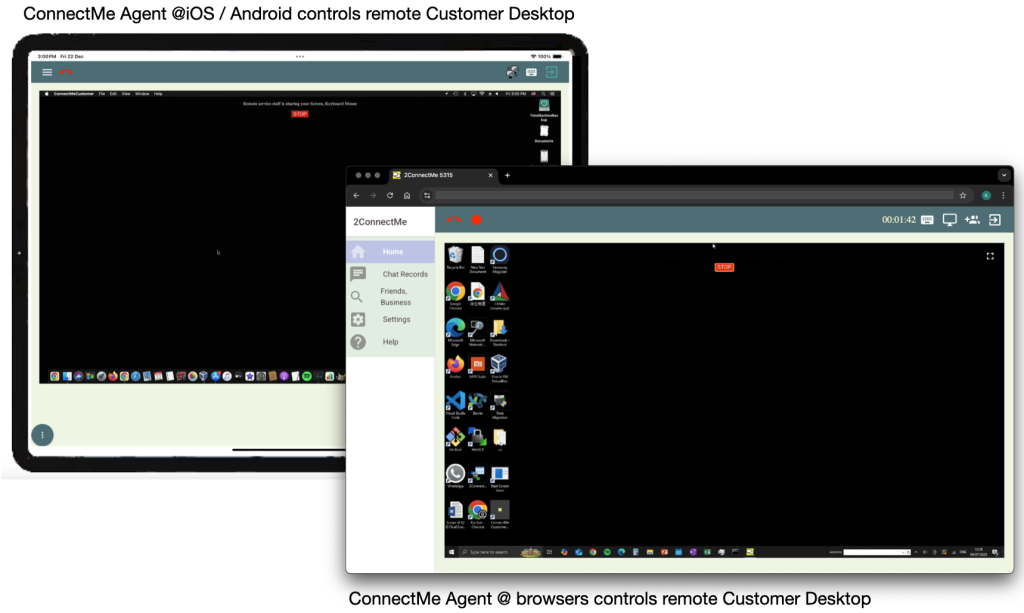
Meeting Room ID of Client Phone
The meeting room ID of client phone could be generated through the service staff app, “2ConnectMe Paid Video Consult” as follows.
Curious how 2ConnectMe looks on a real website? Open our live demo and try it yourself. See voice chat, video chat, screen sharing, recording, and live customer screen view in action — instantly, with no signup.
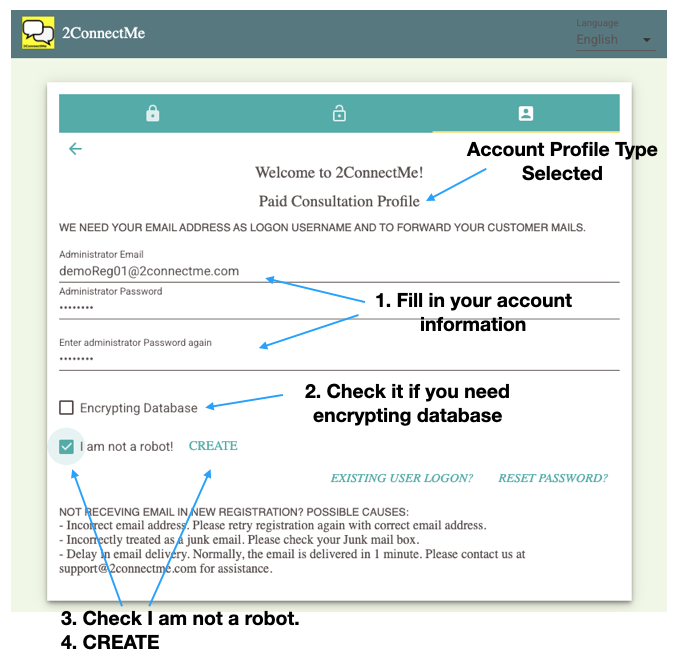
S1: Sign Up Free
Sign up free as a service staff with “Paid Consultation HelpDesk” profile through the link below
https://www.2connectme.com/ —-> Sign Up Free.
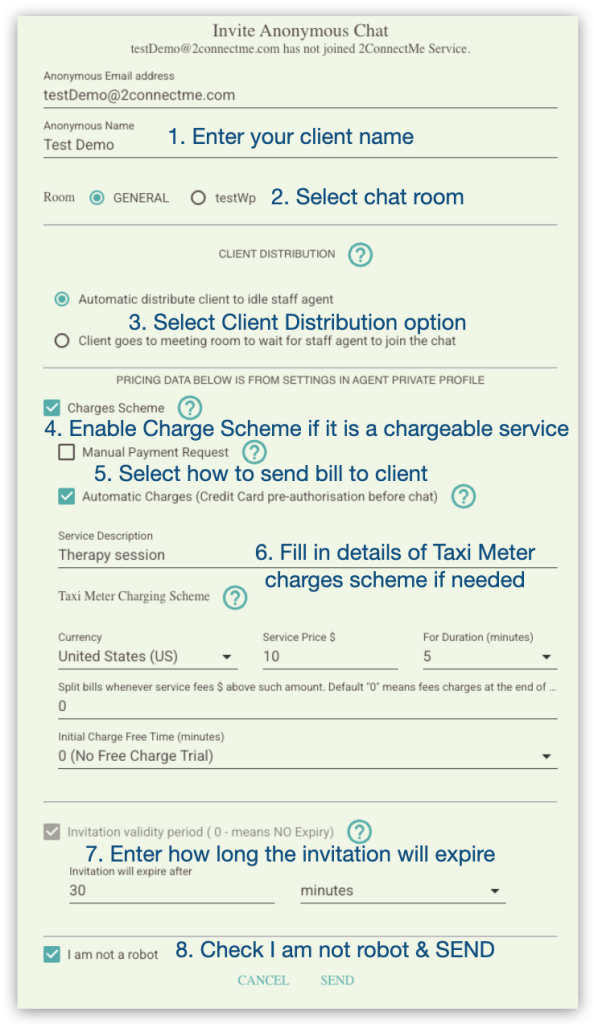
S2: Invitation Email
Send meeting request to client through “Invite Friend For Chat”.
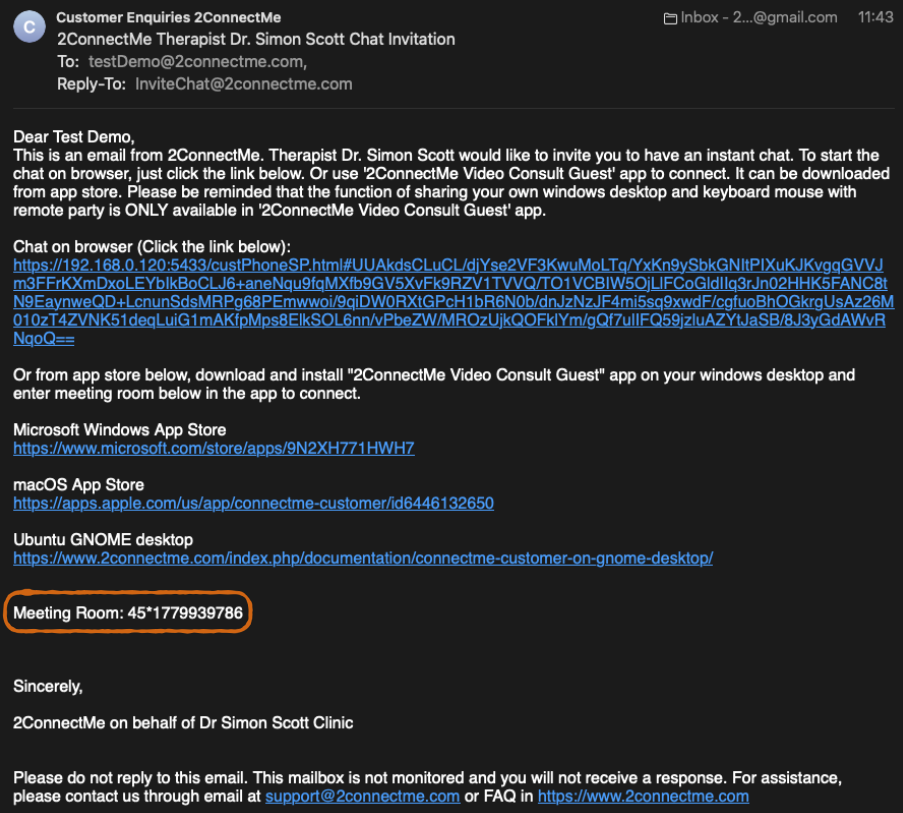
S3: Meeting Room ID Information
The Meeting Room ID is on the Meeting Request email sent.
S4. Connect service staff
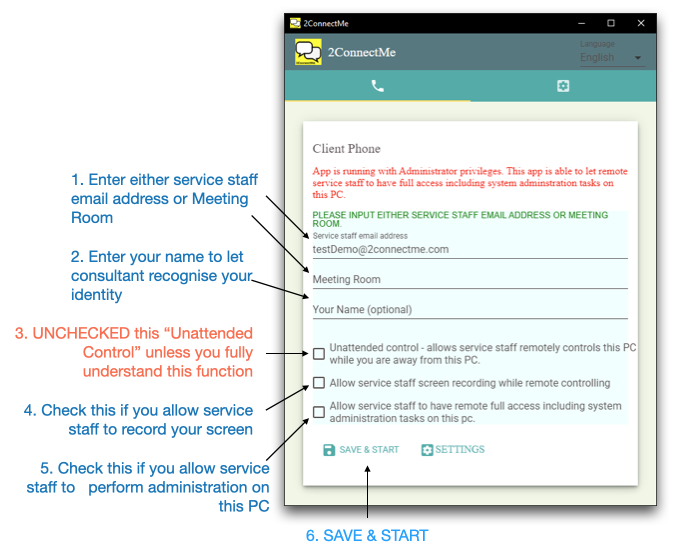
Client Phone contacts service staff through Meeting Room ID.
S5: Asks for remote control permissions
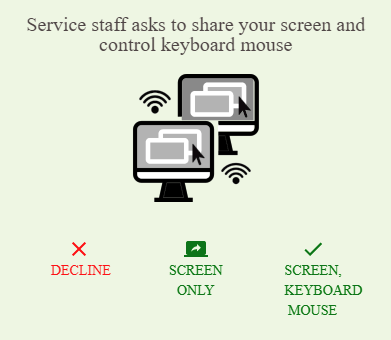
Service staff asks client for permisson for remote control.
S6: Start Remote Control
Service staff starts remote control PC of client phone after permission granted by client.