Invite Friend For Chat
Prepare Invitation Form
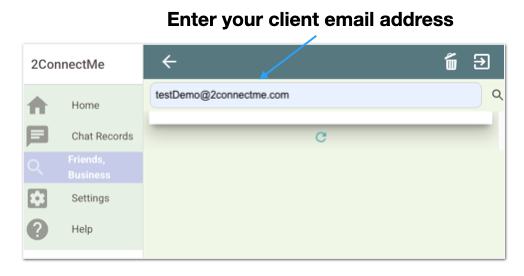
When you click “Friends / Business” button, you start to invite friend for a chat through email as screen shown below.
Invitation Form
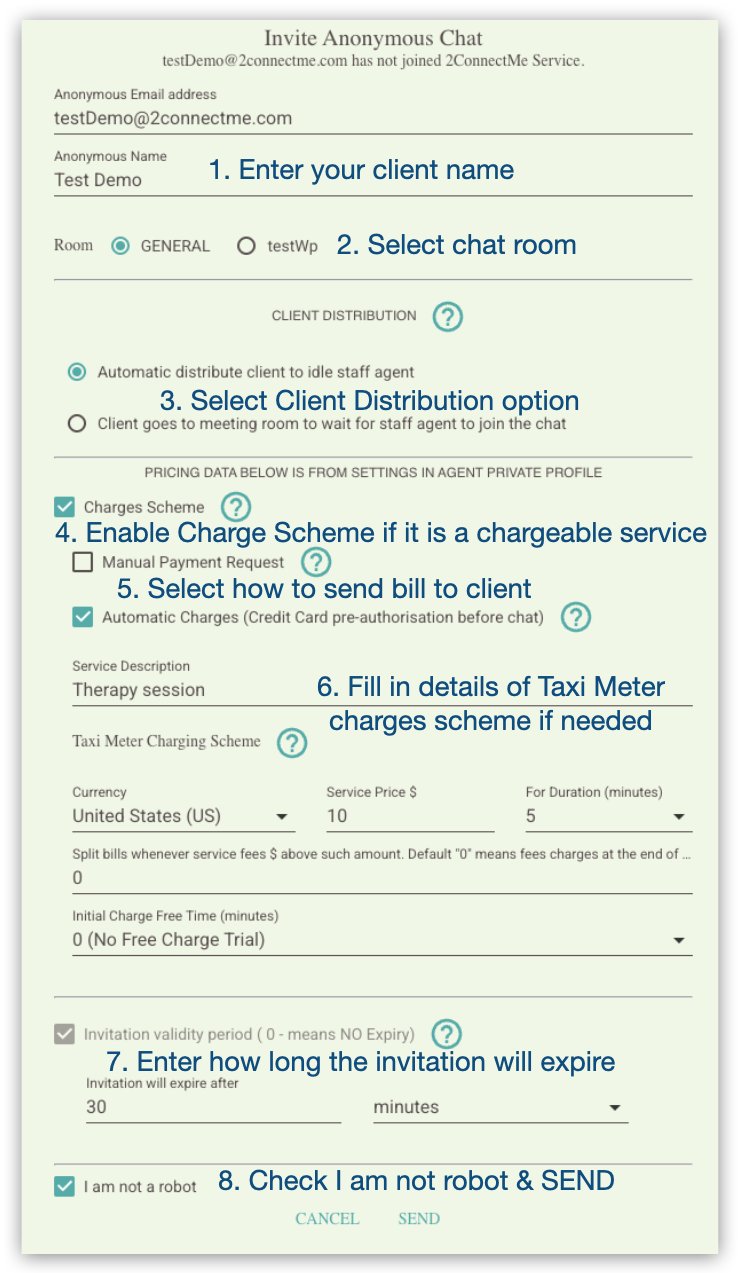
For the client distribution options on step 3, please refer here
For the pricing scheme on step 4, 5 & 6, please refer here.
For the invitation validation period on step 6, it specifies how long the invitation is valid from the time of invitation sent.
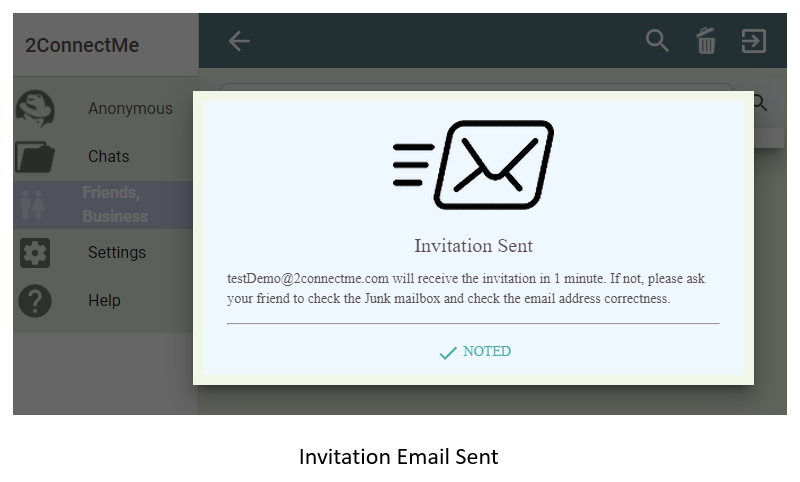
Invitation Email Sent
In case of incorrect unreachable email address, 2ConnectMe cannot know it in advance. Therefore, when client do not receive such invitation in 1 minute, you have to ask client to check their junk mailbox or the correctness of the email address.
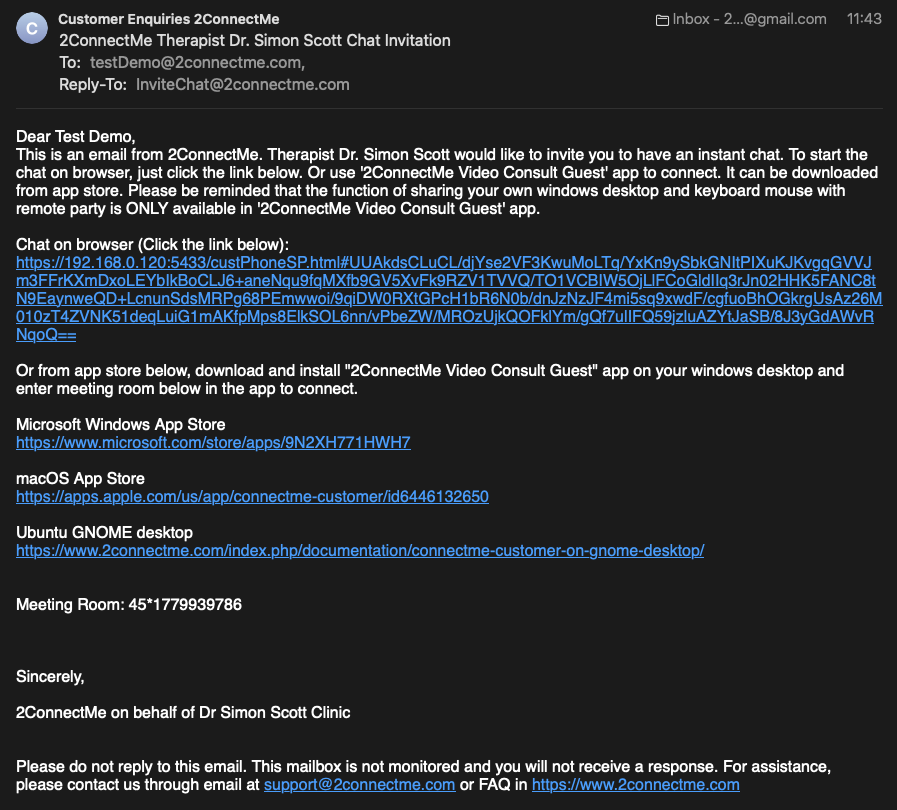
Client will receive the email above. When the chat link Url is clicked or going through “2ConnectMe Video Consult Guest” app, it will bring client to an default contact form where will connect to the initiator of the meeting, i.e. yours.
Client Contact Form Looking for Idle Agent
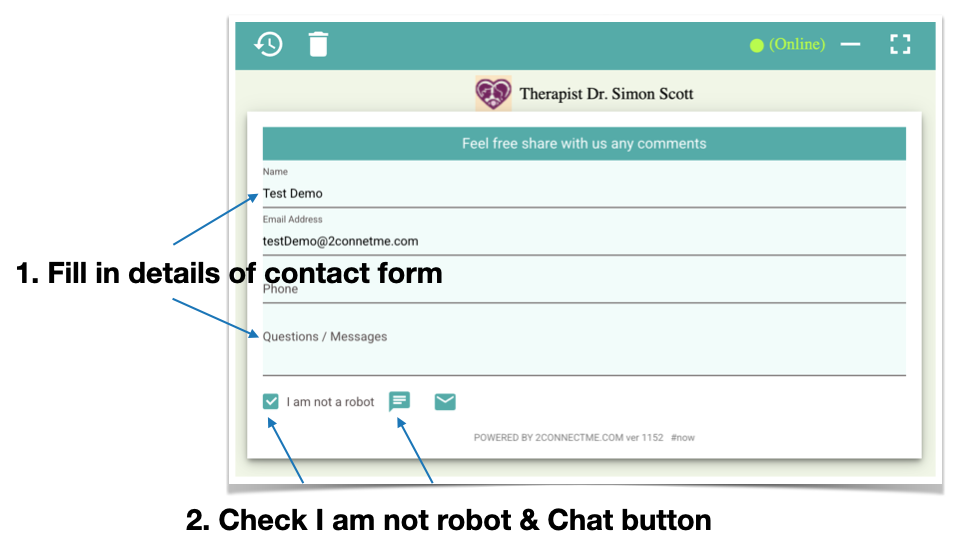
if the invitation is without service charges, please go to connecting Agent directly.
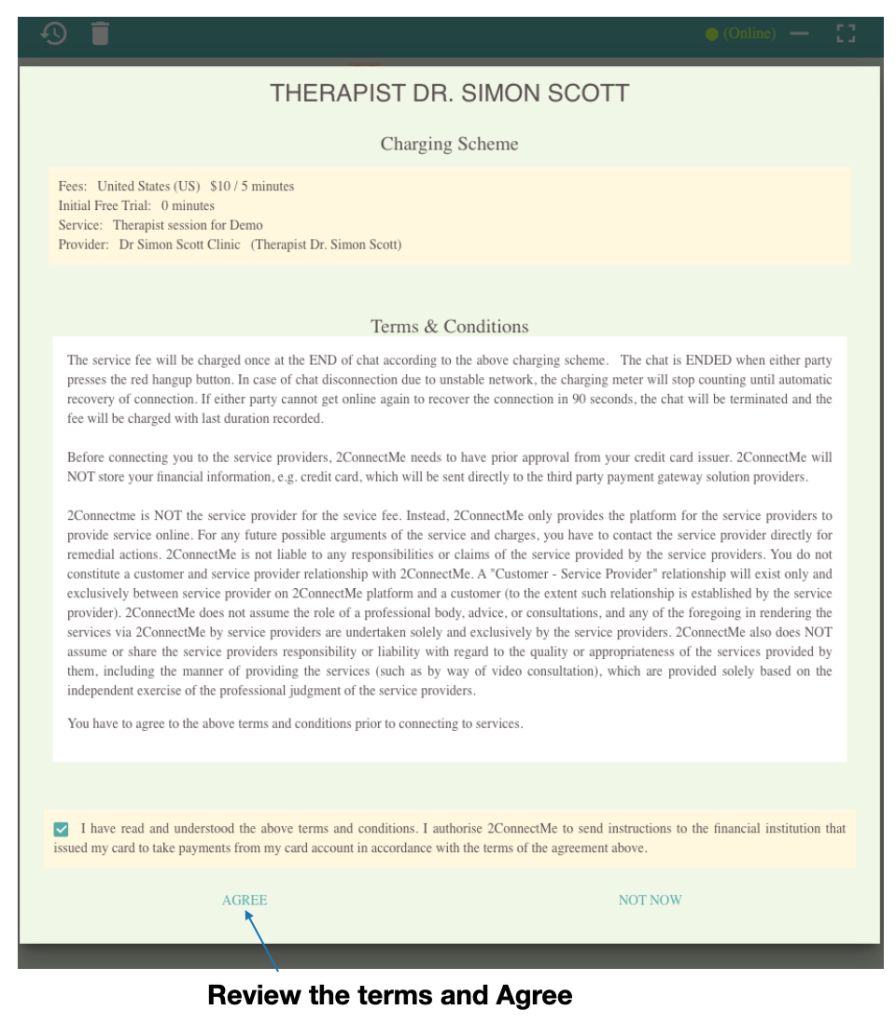
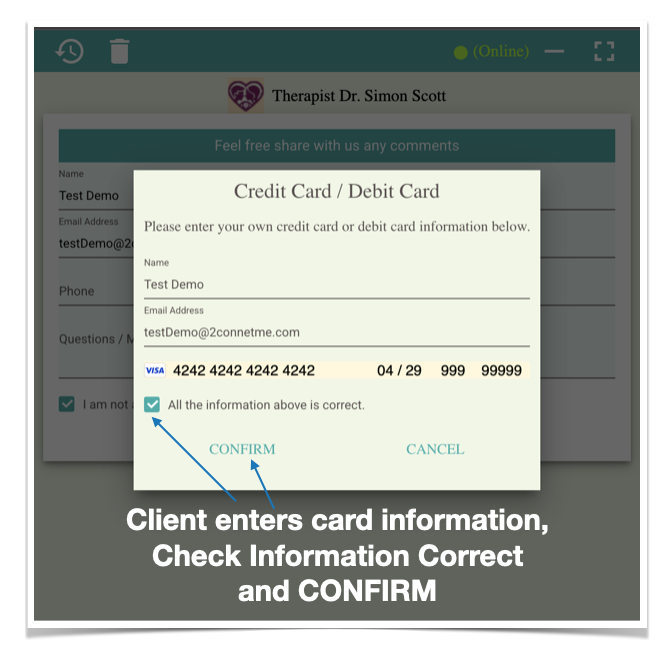
Client credit card pre-validation / pre-authorisation
Client enters credit card information to stripe directly
Client Connecting to Agent In Progress
When it tries to connect client to an idle service staff, it is subject to the client distribution option selected in the step 3 of invitation form above.
- Automatic Distribute Client to an Idle Staff Agent (Details here)
- Clients Goes to Meeting Room Waiting (Details here)
Automatic Distribute Client
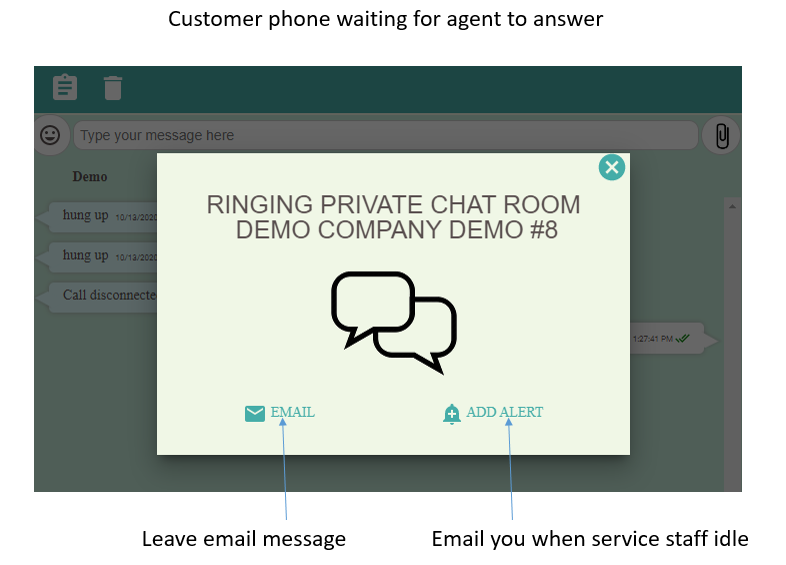
While client is waiting for agent to answer the chat, client can leave email message or activate an alert which 2ConnectMe will send email to client when agent is idle.
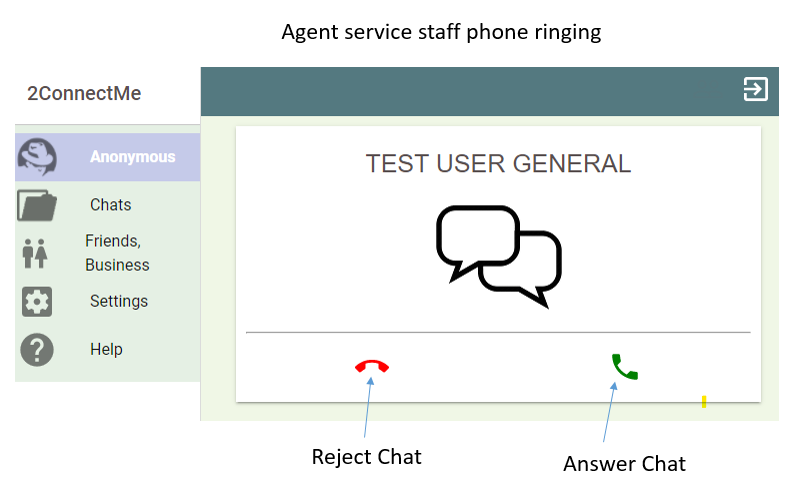
Agent Phone Ringing
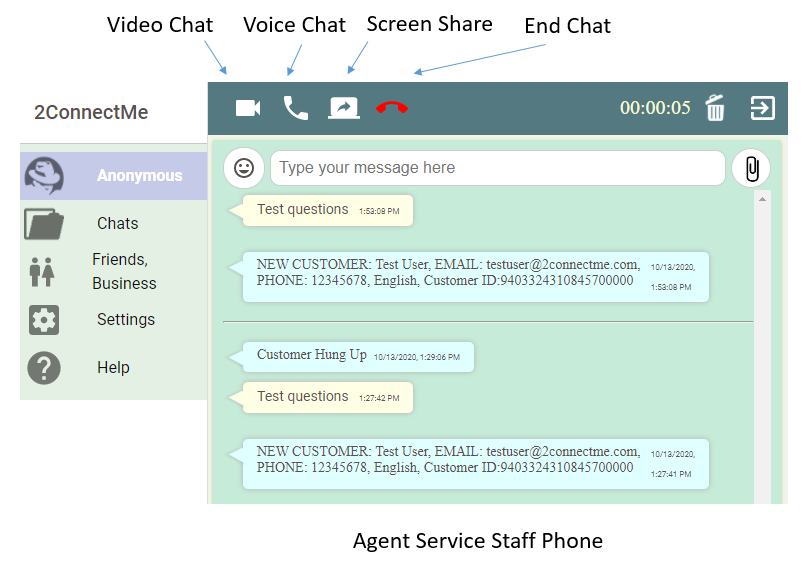
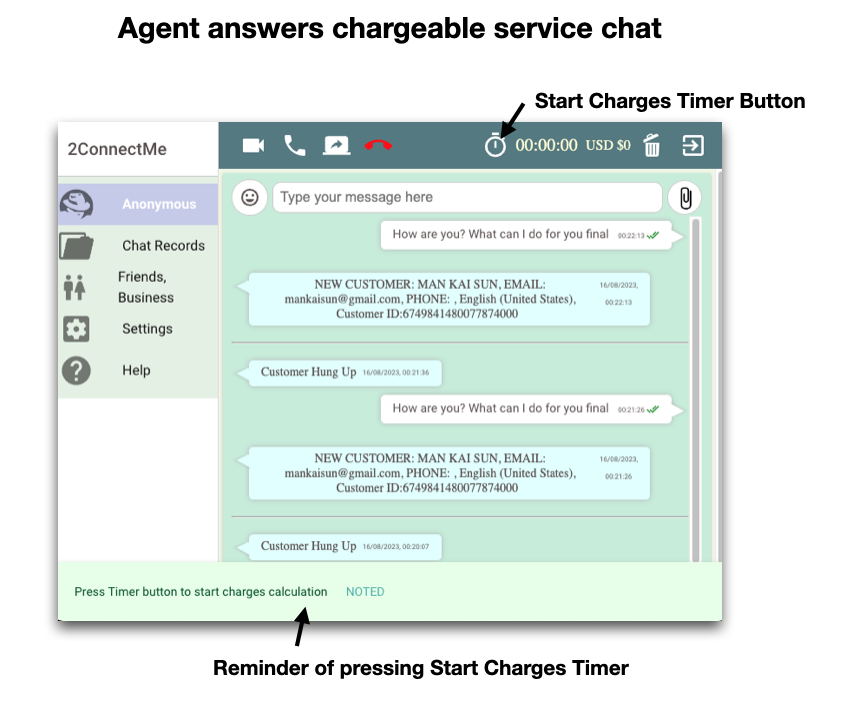
When agent answers the chat, agent is able to make voice chat , video chat, text chat and screen share with client immediately.
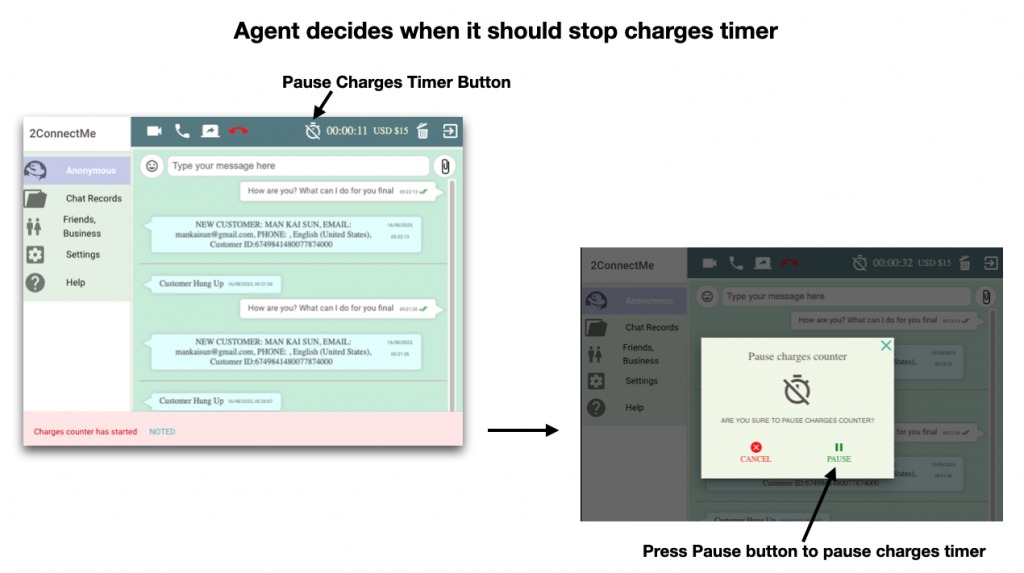
Client Phone
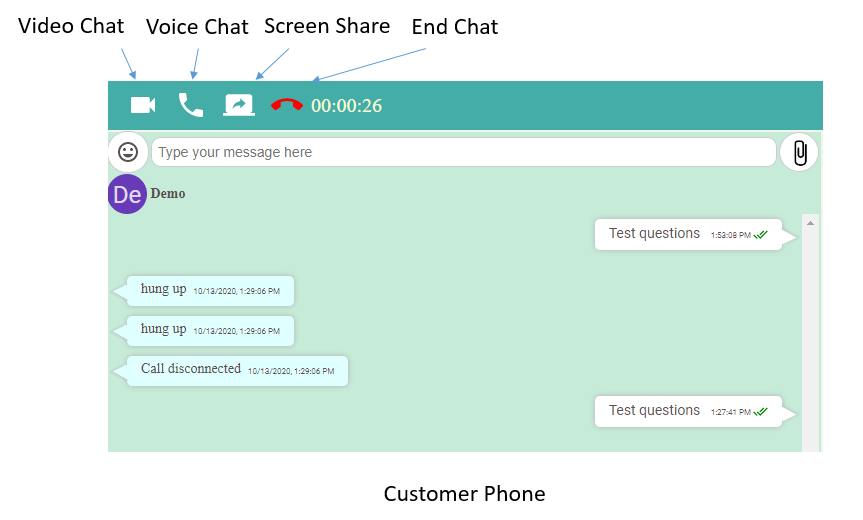
Client is also able to make voice chat, video chat, text chat and share screen with agent immediately.
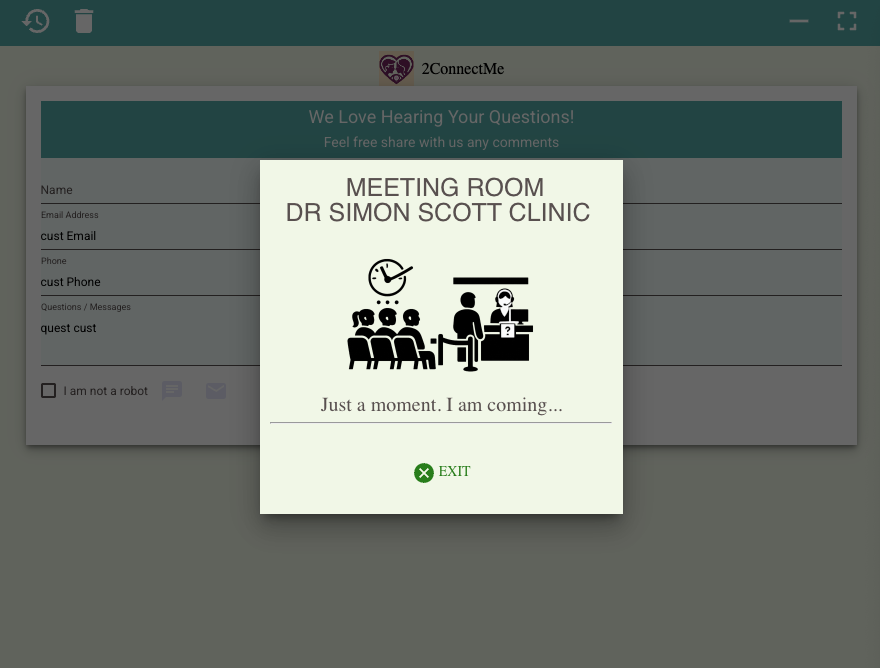
Client Goes to Meeting Room
Instead of searching for an idle staff agent, client will be led to go to a virtual meeting room waiting for staff agent to join the chat.
Staff Joins the Meeting
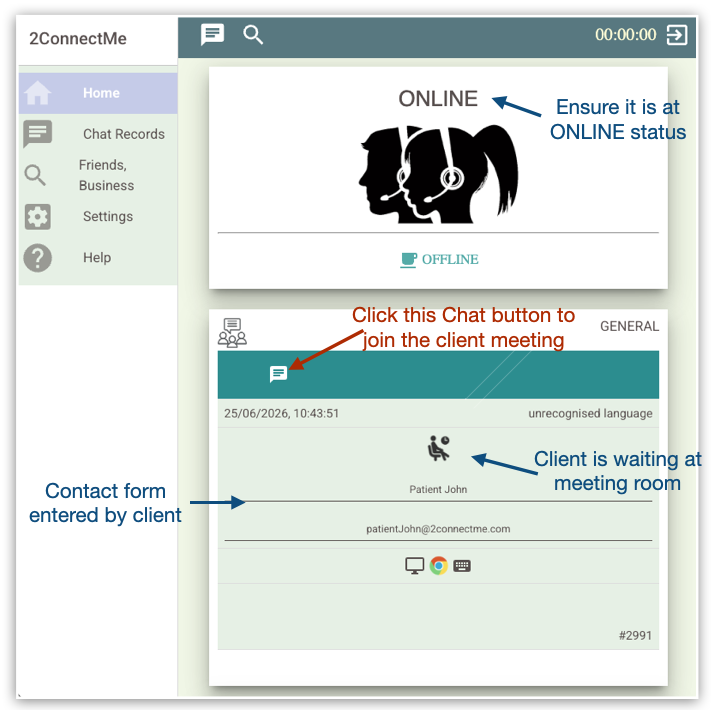
The client with contact form content is shown on the traffic dashboard of staff agent as below. Staff agent just clicks the chat button to join the client meeting. Then, the client would be connected to this staff agent as that in the automatic distributing client as before.